
Selecting the right domain name is a critical step when building your online presence. It’s one of the first things people see, and it plays a significant role in shaping how your website is perceived. A well-chosen domain name helps with branding, boosts your SEO, and makes your site easier to find. In this guide, we will break down the key factors to consider when choosing the best domain name for your website.
What is a domain name?
A domain name is your website's unique address on the internet. It’s what people type into their browsers to visit your site. For example, in "www.example.com," "example.com" is the domain name. Every domain name is unique, and it serves as a critical identifier for your site online. Think of it as your website’s digital address that people need to locate and access your content.
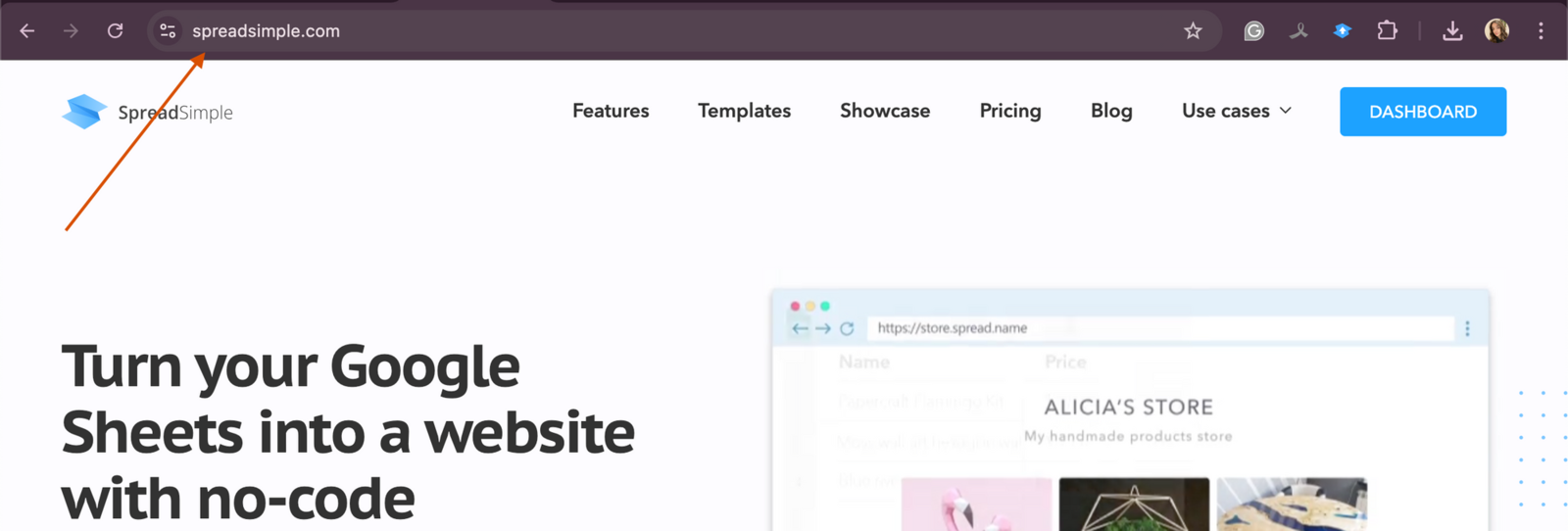
When you choose a domain name, it’s essential to make sure it’s easy to remember and spell. Complicated or overly long names can confuse visitors and make it harder for them to return to your site. The simpler and more straightforward the domain name, the easier it will be for your audience to engage with your website.
Why is the domain name important for SEO and branding?
Your domain name doesn’t just help users find your website; it also plays an essential role in how search engines, like Google, rank and display your site. Here's how it affects both SEO and branding:
SEO, or search engine optimization
Search engines consider domain names when determining how relevant your site is to a user's search query. Including a relevant keyword in your domain name can improve your chances of ranking higher in search results. For example, if you run a bakery, a domain like "bestbakery.com" might help your site show up in searches related to bakeries. However, it’s important not to overdo it. Stuffing too many keywords into your domain name can make it look spammy, which may negatively affect your SEO.
Additionally, domain age and trustworthiness play a role in SEO. Older, established domains tend to rank better than new ones because search engines view them as more reliable.
Branding
Your domain name is also a key part of your brand’s identity. It’s often the first thing users encounter, so it needs to reflect your business and be easy to recognize. A memorable domain name can build trust with your audience and make your website appear more professional.
Good branding is about creating consistency, and your domain name should align with your overall brand. If possible, use your business name as your domain name to make it easier for customers to find you. For example, if your brand is “GreenTech Solutions,” then a domain like "greentechsolutions.com" will reinforce your brand and make your site more recognizable.
A strong domain name not only helps users find you online, but also builds credibility.
Tips for choosing the best domain name
Choosing the right domain name is crucial for your website’s success. It impacts how easily visitors can find and remember your site. Here are some key tips to guide you in selecting the best domain name:
Keep it short and memorable
A short domain name is easier for people to remember and type correctly. Aim for a name with fewer than 15 characters. The shorter your domain, the less likely visitors will misspell it, which helps maintain a strong user experience. Shorter names are also more visually appealing, making them look cleaner and more professional.
For example, if you own a restaurant called "Fresh Bites," a domain like "freshbites.com" would be ideal. It’s concise, easy to type, and sticks in the minds of your visitors.
Avoid hyphens and double letters
Hyphens and double letters can cause confusion when people are typing in your domain. They are often forgotten or mistyped, which could result in lost traffic or users landing on a different website by mistake. If possible, choose a domain name that doesn’t contain hyphens or double letters to make it more user-friendly.
For instance, a domain like "super-cakes.com" or "sweetttreats.com" might be difficult for users to get right. Instead, opt for "supercakes.com" or "sweettreats.com" to avoid potential errors.
Use relevant keywords
Incorporating a keyword related to your business or website can give your domain an SEO advantage. However, it’s important not to overdo it. Choose a keyword that aligns with what your site is about, but don’t try to stuff too many words into your domain name.
For example, if you have a blog about travel tips, a domain name like "besttraveltips.com" works well because it directly relates to the content you offer. However, avoid long, complicated names like "best-travel-tips-for-budget-holidays.com" as it’s not only hard to remember, but it also looks unprofessional.
Considerations for domain extensions (TLDs)
A domain extension, also known as a top-level domain (TLD), is the part of your domain that comes after the name, such as ".com" or ".org". The extension you choose can influence how your website is perceived by users and search engines. Here are some factors to consider:
.com: the most popular option
“.com” is the most commonly used domain extension, and it’s usually the best choice for most websites. It’s widely recognized and trusted by users around the world. People often assume that a website will have a ".com" domain, making it a safe and reliable choice if your preferred ".com" domain is available.
Using a ".com" domain also gives your site a professional image, especially if you're building a business or personal brand. For instance, "yourbusiness.com" feels more established and credible compared to less common extensions.
Other extensions: .org, .net, and country-specific TLDs
Depending on your website’s purpose, other domain extensions may be a better fit. For example, if you run a non-profit organization, ".org" is often a good choice as it’s associated with charities and non-commercial entities. On the other hand, ".net" is a suitable alternative for technology companies or networking services, though it's less commonly used than ".com."
If your business is focused on a specific country or region, using a country-specific TLD, like ".co.uk" for the United Kingdom or ".ca" for Canada, may be more appropriate. These extensions signal to search engines and users that your site is targeting a local audience, which can be helpful for improving local SEO.
For instance, if you run a bakery in London, "bestcakes.co.uk" would make it clear that your business serves customers in the UK. However, if you plan to expand internationally, a ".com" domain might offer more flexibility in the future.
By carefully considering your domain name and extension, you can create a strong, lasting impression and help your website succeed.
How to use domain name generators
If you’re having trouble coming up with the perfect domain name, domain name generators can be a great solution. These tools are designed to help you brainstorm ideas by suggesting domain names based on the keywords you provide. Popular tools like NameMesh, Lean Domain Search, and Shopify's Domain Name Generator allow you to enter relevant terms and instantly generate multiple domain name options.
Most domain name generators will also show you if a name is available, saving you time and effort. For example, you could input a keyword like "photography," and the tool might suggest variations like "photographyhub.com" or "capturemoments.net." This can be particularly helpful if your ideal domain name is already taken, as the generator can provide alternative options you may not have considered.
In addition to keyword suggestions, some tools offer filters to help you narrow down choices. You can filter results by length, popularity, or domain extension, making it easier to find a name that suits your needs.
Researching domain name availability
Before you commit to a domain name, it's essential to verify its availability. You can quickly check whether a domain is available by using domain registrars like GoDaddy, Namecheap, or Google Domains. Simply enter your desired domain into their search tool, and they’ll let you know if it's taken or free to register.
But availability isn’t the only thing to check. You also want to ensure that your domain name won’t cause legal or branding issues down the line. Here’s what you should do:
Perform a trademark search
Make sure your domain name doesn’t infringe on any existing trademarks. A simple trademark search can help you avoid legal complications that could arise if another company claims ownership of the name. You can use databases like the USPTO (for the U.S.) or equivalent authorities in other countries to check for trademarks. If someone already owns the trademark for your chosen name, you might need to rethink your choice to avoid future disputes.
Check social media handles
Consistency across your domain and social media profiles is crucial for branding. Before finalizing your domain name, check if the same or similar handles are available on major social media platforms like Facebook, Twitter, and Instagram. If your domain name is "bestcakes.com," you’ll want to ensure that "@bestcakes" is also available on social media, as this creates a seamless brand identity across your website and social channels.
Domain privacy and security
When you register a domain name, your personal details (such as name, address, and email) become publicly accessible through the WHOIS database. This can expose you to spam, unwanted solicitations, and even identity theft. Fortunately, there are ways to protect your privacy and secure your domain.
WHOIS privacy
Many domain registrars offer WHOIS privacy protection, which hides your personal information from public view. Instead of showing your contact details, the registrar’s information will be displayed in the WHOIS database. This is a simple but important step to protect your privacy and reduce spam or other unsolicited contact.
SSL certificates
An SSL (Secure Sockets Layer) certificate is essential for any website. It encrypts data transmitted between your website and its visitors, helping to protect sensitive information like login details or payment information. An SSL certificate also adds a layer of trust, as most modern browsers display a padlock symbol in the address bar to indicate that a site is secure. Additionally, search engines like Google prioritize secure websites, so having an SSL certificate can improve your SEO rankings.
Registering and renewing domain names
Once you’ve chosen the perfect domain name, the next step is registering it. Domain names are typically registered for one year, but you can choose longer registration periods if you prefer. Here are a few tips to ensure a smooth registration process:
Use a trusted registrar
It’s important to register your domain with a reputable registrar. Popular registrars like GoDaddy, Namecheap, and Google Domains are known for their reliability and user-friendly interfaces. They also offer additional features like WHOIS privacy protection, domain forwarding, and email hosting, which can make managing your domain easier.
Enable auto-renewal
To ensure you don’t accidentally lose ownership of your domain, consider enabling auto-renewal. This way, your registrar will automatically renew your domain each year, so you don’t have to worry about forgetting to do it manually. Losing a domain due to expiration can be costly and inconvenient, especially if someone else registers it after it expires.
Consider long-term registration
If you’re serious about your website and plan to use your domain for a long time, consider registering it for multiple years upfront. This not only guarantees that you retain ownership, but it can also give your website a small SEO boost. Search engines often view long-term registrations as a sign that a website is credible and stable.
How to register a domain
Registering a domain is an essential step in establishing your website’s identity on the internet. A domain name is your unique address online, and to secure it, you need to go through a domain registrar. Here’s how to register a domain and what to know about registrars.
What is a domain registrar?
A domain registrar is a company that manages the reservation of internet domain names. They are accredited by organizations like ICANN (Internet Corporation for Assigned Names and Numbers) to sell domain names.
Steps to register a domain
- Choose your domain name. Start by brainstorming and picking a domain name that suits your brand. Make sure it's memorable, relevant to your website’s content, and short if possible.
- Check domain availability. Use a domain registrar’s search tool to check if the name you want is available. If the exact name is taken, the tool will often suggest alternatives.
- Select the right domain extension (TLD): Domain extensions (or TLDs) like .com, .net, and .org are common, but there are many other options such as .co, .online, or even country-specific ones like .uk or .ca. Consider the purpose of your site when choosing an extension.
- Register the domain. Once you find an available domain name, you can register it through your chosen registrar. This process involves creating an account, providing your contact information, and selecting how many years you want to register the domain for (typically between 1-10 years).
- Complete your purchase. After selecting your domain, complete the payment. Registrars usually offer extra services like domain privacy, which hides your personal information in the public WHOIS database.
- Manage your domain. Once the registration is complete, you’ll have full access to manage your domain. This includes setting up DNS records, renewing the domain when necessary, and enabling features like auto-renewal to ensure you don’t lose your domain.
Why choosing the right registrar matters
While most registrars offer similar services, the level of support, pricing, and additional features may vary. Here are some key factors to consider when choosing a registrar:
- Pricing: Some registrars offer lower prices for the first year but may increase renewal rates.
- Customer support: Choose a registrar with reliable customer support, especially if you’re new to domain management.
- Additional services: Look for services such as WHOIS privacy protection, domain transfer options, and security features like SSL certificates.
- Reputation: Go with a trusted and well-established registrar to avoid issues with domain management in the future.
By choosing the right domain registrar and following the steps to register your domain, you’ll have a solid foundation for your website, ensuring that your online presence is secure and professional.
List of popular domain registrars
Here are some of the most widely used and trusted domain registrars you can consider when registering your domain:
- GoDaddy. One of the largest and most popular registrars. It offers a wide range of domain extensions and additional services like website hosting and SSL certificates.
- Namecheap. Known for affordable pricing, Namecheap provides excellent customer support, free WHOIS privacy protection, and domain management tools.
- Google Domains. A simple and straightforward domain registrar service from Google. It offers easy integration with Google products and transparent pricing.
- Bluehost. Primarily a web hosting service, Bluehost also offers domain registration, often bundled with its hosting plans. It's a popular choice for beginners.
- Hover. Focused on simplicity, Hover is an easy-to-use registrar with no upsells and straightforward pricing. It also includes free WHOIS privacy protection.
- Domain.com. Offers a variety of domain extensions and services like web hosting, email, and SSL certificates. It’s a good all-in-one option for domain and website needs.
- Dynadot. Provides a simple interface for domain registration with competitive pricing and advanced DNS management tools.
- 1&1 IONOS. Known for its affordable domain registration and hosting services, 1&1 IONOS also offers free WHOIS privacy protection with every domain purchase.
- NameSilo. A budget-friendly registrar offering low prices for domain names and free WHOIS privacy protection. It’s known for being cost-effective.
- Gandi. A well-established registrar that provides robust security features and privacy-focused services. It’s known for its transparent pricing and ethics.
These registrars provide a variety of features and pricing, so you can choose the one that best fits your needs when registering a custom domain for your SpreadSimple website.
How to set up a custom domain for a SpreadSimple website
Setting up a custom domain name for your SpreadSimple website is simple. Follow these steps to get started:
- Access your SpreadSimple dashboard. Log in to your SpreadSimple account and go to the dashboard. Find the website you want to set up a custom domain for and click on the edit option.
- Change domain settings. Look for the Change Domain button. Click on it, and a new section will open on the left side for domain settings. Turn on the toggle switch that says Connect your own domain. Enter your desired domain name in the field provided. You can simply copy and paste it here.
- Update your settings: After entering your domain name, click the Update button. You will see a message saying Awaiting DNS Configurations.
- Access your domain registrar: Now, you need to go to the dashboard of your domain registrar (the service where you bought your domain).
- Edit DNS settings: Find your domain and look for the option to edit it. Then, navigate to Advanced DNS settings.
- Add an A record: Follow the instructions to add a new A record.
- Set the name as @.
- Set the value to the IP address provided by SpreadSimple (this is the server where your website is hosted).
- You can usually leave the default settings for other options. Click Save after entering this information.
- Wait for DNS propagation: It may take some time for the DNS records to update. This can take up to 12 hours, depending on your registrar. You can click the Refresh button in SpreadSimple to check if the update is complete.
- Publish your website: Once the DNS records are updated, you can go back to SpreadSimple and publish your website. Your site will now be accessible using your custom domain name.
That’s it! Your custom domain is now set up, and you can access your website using your new domain name. Everything is ready to go!

Conclusion: recap of best practices for choosing a domain name
Selecting the right domain name is a critical decision that impacts your website’s visibility, branding, and overall success. Here’s a quick recap of the best practices for choosing a domain name:
- Keep it short and memorable to improve user experience.
- Avoid using hyphens and double letters to reduce the risk of typos.
- Include relevant keywords, but don’t overstuff them.
- Choose the right domain extension based on your audience and industry.
- Use domain name generators to explore different options if you're stuck.
- Verify availability by performing a domain search and checking trademarks.
- Secure your domain with WHOIS privacy and an SSL certificate.
- Register your domain with a trusted registrar and consider enabling auto-renewal or opting for long-term registration.
By following these tips, you’ll be well on your way to choosing a domain name that’s both SEO-friendly and brandable, ensuring your website makes a lasting impression online.
Frequently asked questions
1. What is a custom domain name?
A custom domain name is a unique web address that you choose for your website. It replaces the default subdomain provided by services like SpreadSimple and helps establish your brand online.
2. Why should I use a custom domain name for my SpreadSimple website?
Using a custom domain name can enhance your brand's credibility, improve trust with visitors, and boost SEO performance. It makes it easier for customers to remember and find your website.
3. How long does it take for DNS changes to take effect?
DNS changes can take up to 12 hours to propagate fully. During this time, your website may not be accessible via the new domain. You can check back later to see if it’s working.
4. What if I see an SSL error after setting up my custom domain?
If you encounter an SSL error after setting up your custom domain, wait 24-48 hours for the changes to propagate. If the error persists, go back to your SpreadSimple dashboard and click the Publish button again to retry issuing the SSL certificate.
5. Can I disconnect my custom domain later if I change my mind?
Yes, you can disconnect your custom domain at any time. In your SpreadSimple dashboard, go to the Change Domain settings and uncheck the Connect your own domain option. Save the changes to complete the process.
6. What are some recommended domain registrars?
Here is a list of popular domain registrars you can use to register your custom domain: