WhatsApp Ordering – an Easy and Free Way for Your Customers to Make a Purchase
Are you searching for ways to increase your product purchases and customer engagement? If you own a business online, it is essential to explore various platforms that help customers reach you faster.
While you have probably already added your phone number and email address to your webpage, we are here to tell you how Whatsapp can be crucial to your brand. Besides this, we will also cover the benefits of WhatsApp ordering for your business.
WhatsApp is the most popular messenger in the world

Did you know that over 2 billion people worldwide use WhatsApp at least once a month, and over 60 billion messages are sent from the platform daily? So, your target clients are already using it. Moreover, instant messages have a better engagement rate, as 98% of those are opened and read, and 90% of those are read as soon as they are received. Moreover, instant messages are a user-friendly and familiar way of communication globally.
Benefits of WhatsApp Messenger
- Whatsapp is free – It won’t increase your expenses.
- Real-time communication channel – Respond to your customers at any time and anywhere.
- Convenient to reach customers – You can automate your messages.
- Secure and Trustworthy – All WhatsApp chats are end-to-end encrypted.
- Generates sales for your business – The more potential clients reach out to you, the more order conversion happens.
Why are email and phone numbers no longer enough?
Email and phone numbers have long been the most common channels for businesses to connect with their customers. Today, in our omnichannel world, the ways of communicating and interacting have changed. The competition is very high and it is necessary to offer your clients a convenient way to purchase your product.
WhatsApp’s dominance over traditional emailing systems and phone calls is prevalent, because to write a text, to attach a file or a link to it, requires way less effort from you. On top of that, this messenger allows you to call, create groups, make video calls, and is not limited to texting only. Messaging apps like WhatsApp are the way of the future and they help you have a more significant impact on customer satisfaction, increase conversions, and improve your deliverability. It makes it easy to reach an international audience regardless of their country code.
With all these convenient features including auto-reply, WhatsApp can become a great tool for your business. We would like to tell you about an amazing feature for e-commerce, online stores, and food menus that will change your life, called WhatsApp Ordering. Let’s see how it works.
What is WhatsApp Ordering?
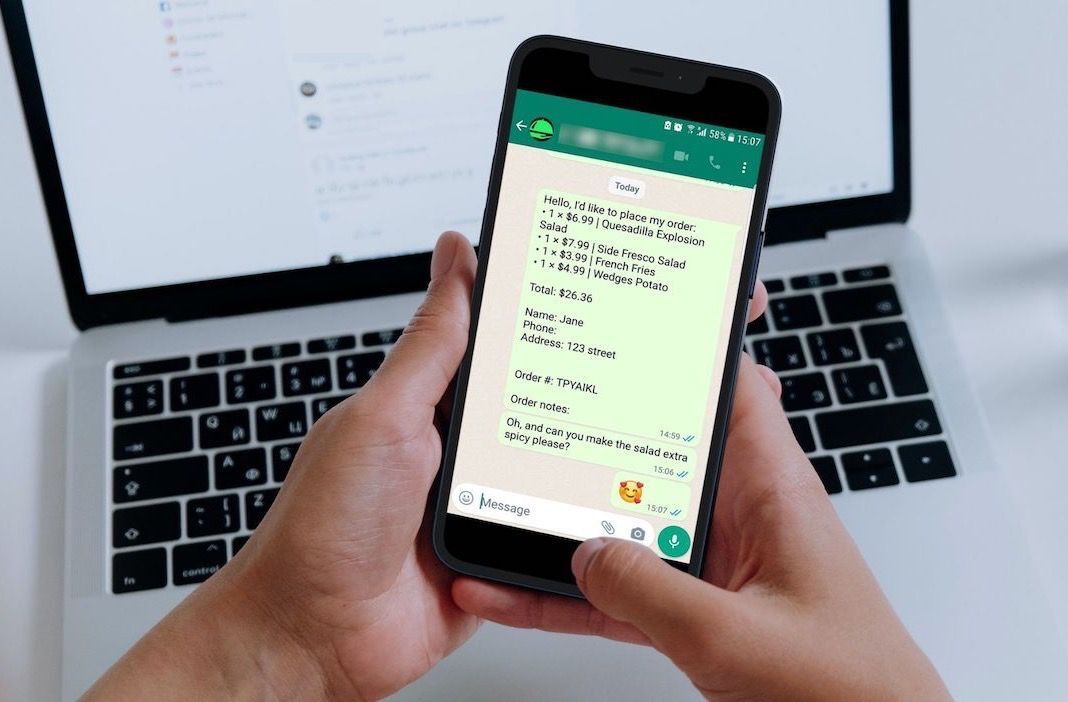
Whatsapp Ordering is a quick and easy way to place an order on any website with a click of a button. After the customer has selected their cart items for purchase, they proceed to the checkout page, which will automatically send the order to the business on WhatsApp messenger in the form of a summarized receipt.
How it works from a client’s perspective
Imagine you want to place an order for clothes on an e-commerce website or place a pick-up order at a restaurant. You browse through their catalog and select an item as per your preference. Instead of going on to the cart page and filling out a tedious order form or calling the business regarding your purchase, you can select the desired product and proceed to checkout. This will automatically open your WhatsApp application with the customized details of your order. The moment the message has been sent, you are immediately connected to the business. This two-way communication will solve your query in no time and confirm your order faster. It also works similarly for the food menu when you place an order for a delivery or takeaway. This is what WhatsApp Ordering is all about.
How it works from a business perspective
You recieve an instant message from the customer in the form of a summarized receipt. You can then quickly and conveniently confirm the purchase, answer any questions or queries the client might have, and also get a geolocation on where to deliver the order. With this effective tool, you can add customer details to your company's CRM system.
What kinds of websites can implement WhatsApp ordering systmen
A WhatsApp ordering system works well on any website that implies online orders and payments. For example, it would work great for an online restaurant website
Get started with WhatsApp Ordering in 4 simple steps:
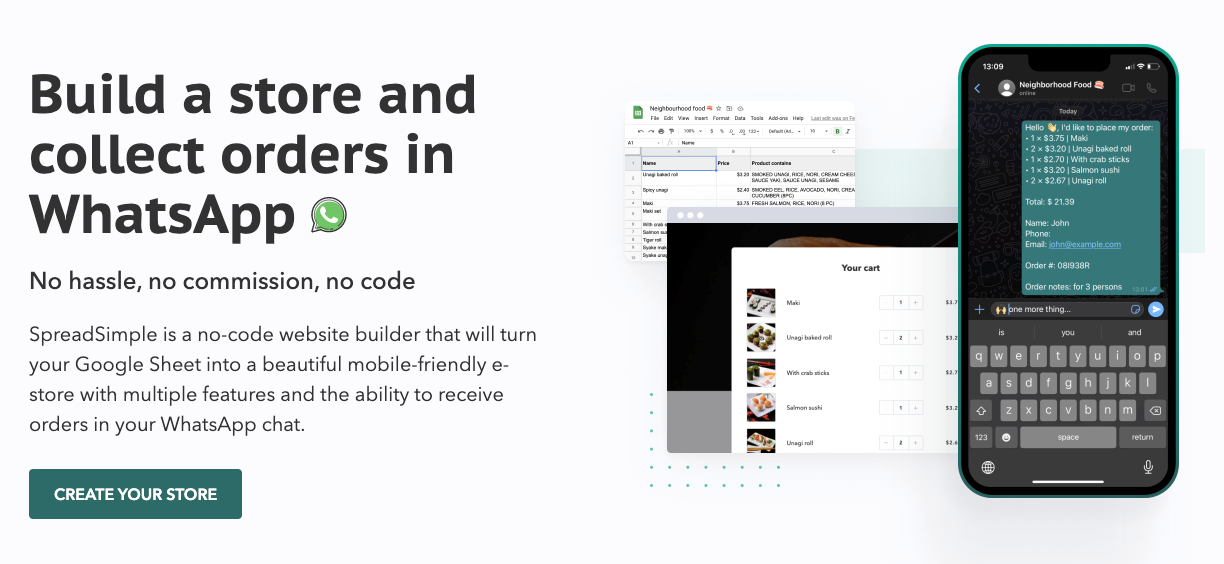
Step 1: Start by creating a webpage with SpreadSimple in a fast and simple way using the data in Google Sheets.
Step 2: Next, go to the Add-ons tab and enable the WhatsApp add-on.
Step 3: Enter your phone number into the corresponding field.
Step 4: Lastly, customize the message template. For example, you can add or remove any of the data variables like {{client.name}} and {{cartItemsText}} that will be replaced with the actual order data in the message in the WhatsApp chat.
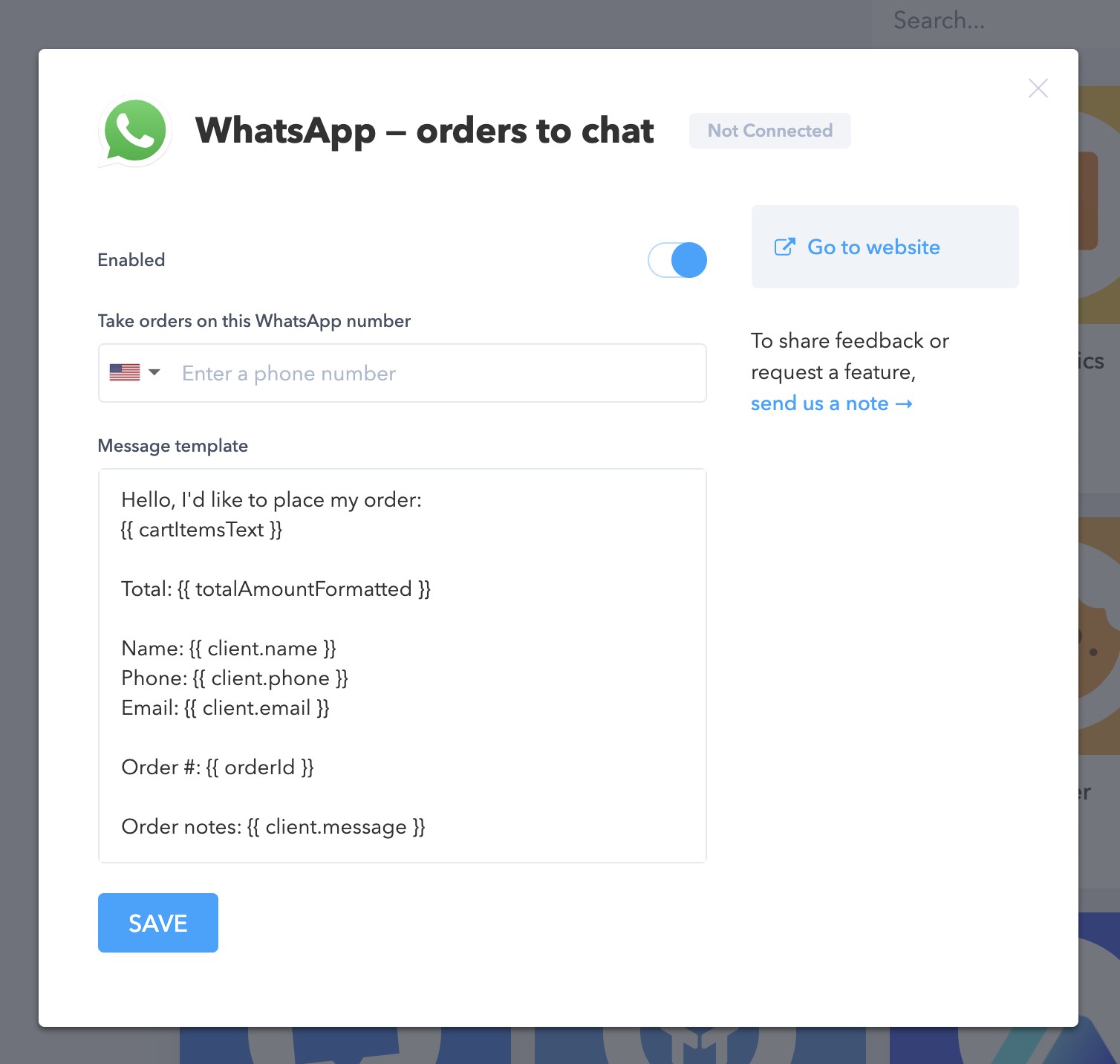
Using this add-on will allow your customers to start an instant conversation with you right after order placement, making it:
- quick and easy for a user to place an order and get a summary of their purchase details;
- convenient for your business to respond to a request, clarify order details, and make it super fast to process an order.
Instead of installing everything from scratch, you can usy SpreadSimple's website template that already has the WhatsApp ordering feature built in.
Benefits of WhatsApp Ordering Integration for your Users and Business
Benefits for Users:
- The consumer can place any special requests or demands directly to the company and receive an acknowledgment for the same.
- Users feel heard as they get answers to their queries and order information instantly.
- Customers do not need to install any additional software.
- Finally, every age group knows how to use WhatsApp, so there is no new obligatory learning curve involved.
Benefits for your Business:
- Cost Effective – WhatsApp has no limits on the number of messages and no commissions or fees for usage.
- Faster Customer Service – WhatsApp is an instant messaging app, so you can process order requests faster and without delay.
- Free Marketing Tool – You can send promo codes, discounts, and new product information directly to your customer.
- Higher conversion rate – Since the order receipt and request are instantly attended to, the conversion of potential customers to digital assets is higher.
- Accessible – You can transact in any currency and message in any language as per the client's preference.
Since WhatsApp is free, accessible, and simple to use, you really don’t need a lot of additional reasons to choose it. But this task requires coding skills or hiring a programmer to add a messenger plugin to your website. Fortunately, nowadays, there are easier ways to do that with simple and powerful no-code builders which are readily available.
How to set up WhatsApp Ordering on your website
One of the highly rated no-code website builders worth your attention is SpreadSimple. It converts your Google Sheets into an online store and also offers an effortless WhatsApp Ordering option (WhatsApp Add-on). Most customers give credit to SpreadSimple for its intuitive usage and convenient functionality. It uses your Google Sheets as your website’s CMS (content management system) and takes the data from Sheets to create a styled webpage with a variety of customizable features.