Introduction to Framer and Figma
Highly recommended by industry experts, Framer and Figma are frequently featured in top-tier IT reviews and software guides.
Both are design tools, genuinely good at what they do, and each caters to a distinct audience with unique workflow requirements. Most professional design teams live in the Figma milieu. Here, they can sketch, build prototypes, and hand off the projects to developers. With Framer, you can create and publish a modern, functional website without hiring a special team or learning to code. We will walk you through each platform, compare them side by side, and help you figure out which one fits your actual situation.
What is Figma?
Figma (opens new window) launched in 2016 and quickly became the go-to design tool for product teams around the world. It runs entirely in your browser, requiring no downloads or software installations. Every team member can contribute and monitor the progress in real time.
It is like a whiteboard with every possible professional design feature a user might need: precise layout controls, reusable components, pixel-perfect spacing, and the ability to create interactive prototypes that look and behave like a real app or website.
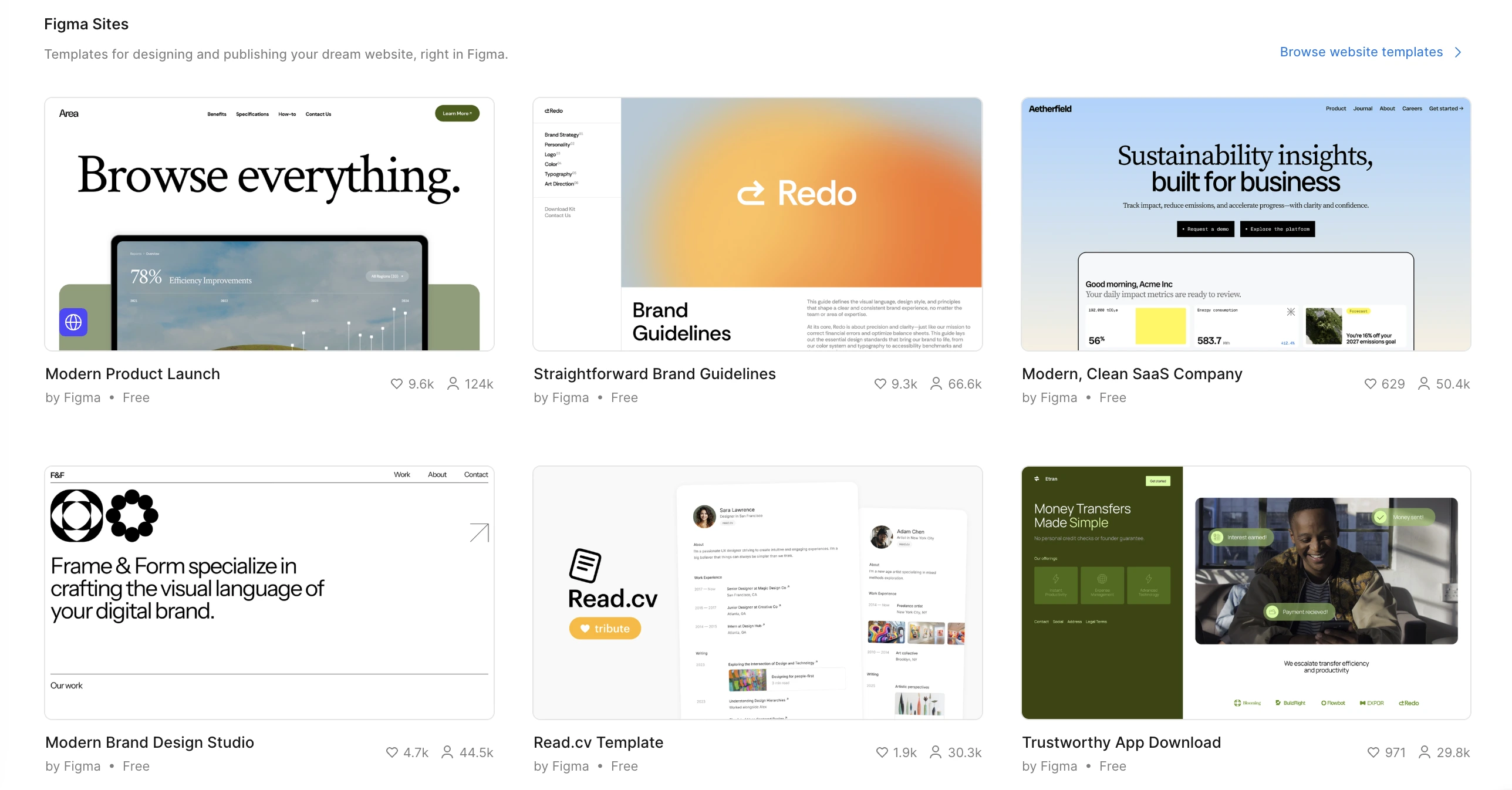
In 2025, the platform announced Figma Sites (opens new window), a feature that adds a publishing option directly inside the software. Currently, it is in open beta available on all plans. To publish a site to a live domain, a user needs a paid plan. To edit and publish sites, a Full seat is required. Users with Dev, Collab, or View seats can view site files.
In Figma Sites, users can:
- Copy and paste Figma designs for easy migration.
- Get started with pre-designed website templates.
- Pull in an existing design system and pre-made elements.
- Implement layouts, text, and components, adaptable for different screen sizes.
- Apply interactions like marquee, scroll parallax, etc. with a few clicks.
- See live HTML preview in canvas and publish designs to the web.
What is Framer?
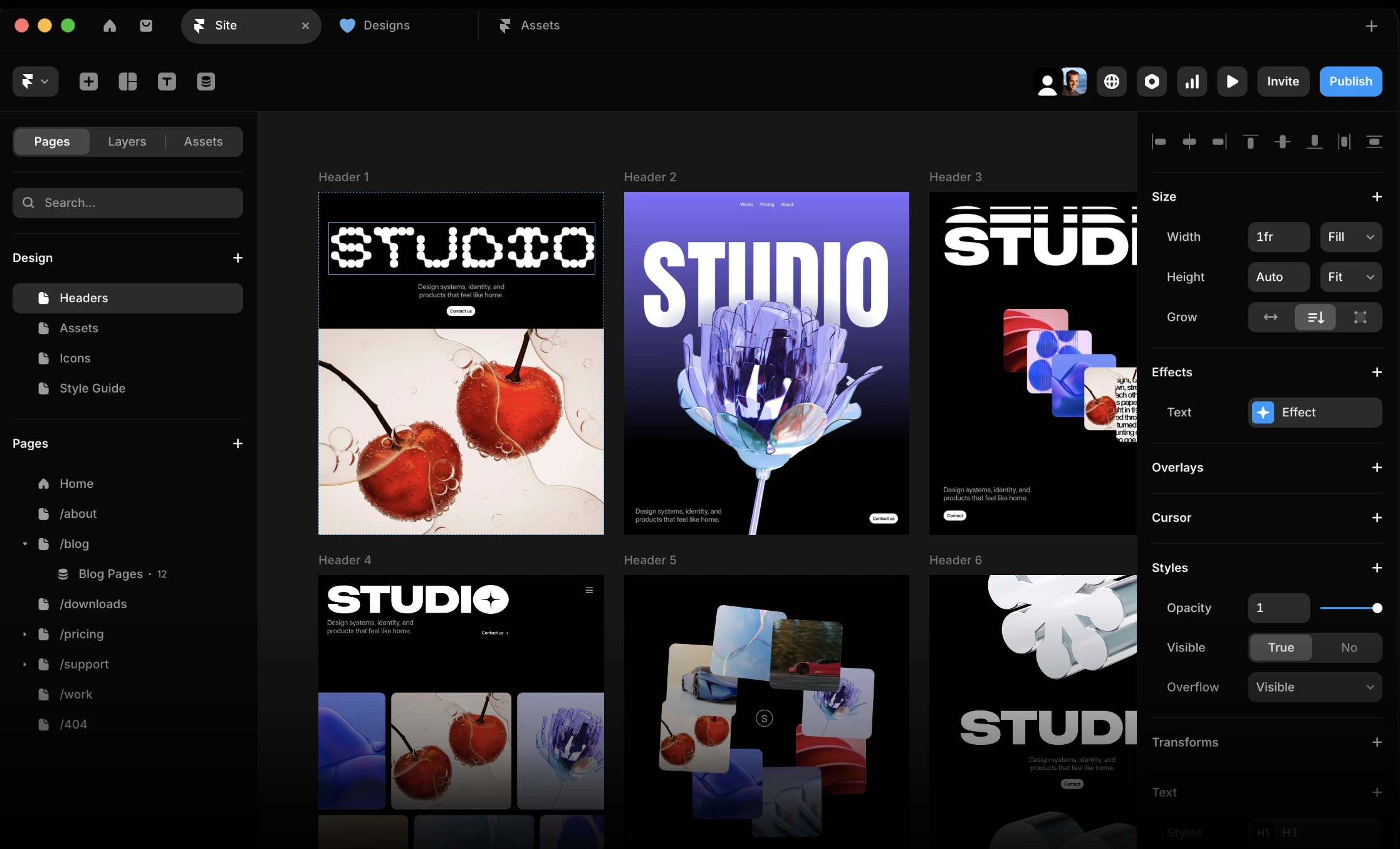
Framer (opens new window) has an interesting backstory. It started out in 2014 as a prototyping tool aimed at designers who wanted to add real interactions to their mockups, including animations, scroll effects, and transitions. Around 2022, the whole platform pivoted into a no-code website builder letting its users create and publish live websites from the same workspace, with built-in SEO settings, CMS capabilities, and performance optimization opportunities. Freelancers, individual entrepreneurs, and product designers appreciate it precisely because it removes the technical gap between design and launch.
While Framer is both a design tool and a website builder, Figma is currently primarily a design tool, with website publishing still in its early stages.
Key Differences Between Framer and Figma
Design Capabilities
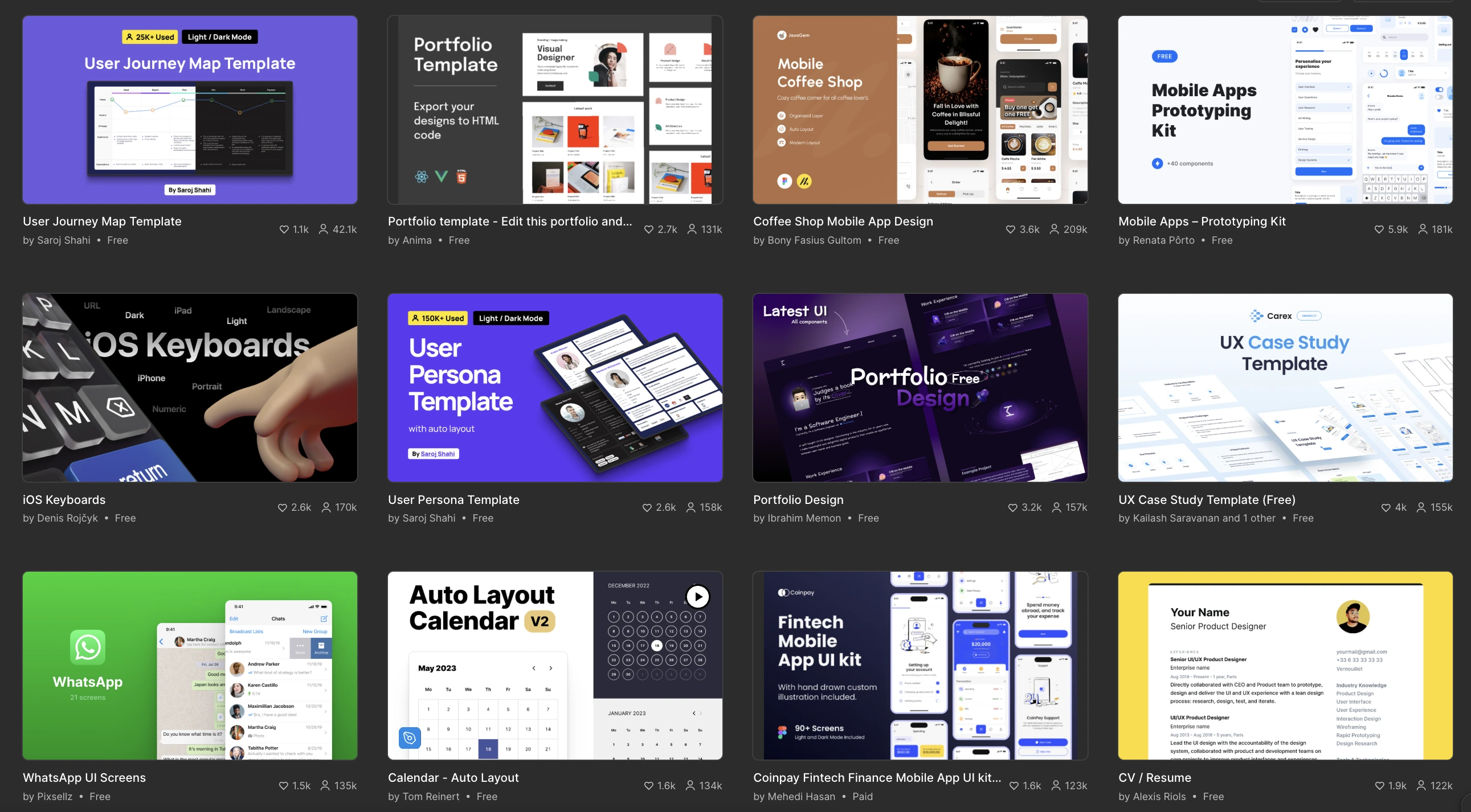
Figma's Auto Layout feature allows users to define spacing, padding, and sizing rules that automatically adjust when content changes. A notable feature developed with UX in mind is responsive components automatically switching to the correct variant when placed in a specific breakpoint, eliminating friction caused by manual adjustment needs for different screen sizes.
Framer offers powerful tools for building responsive pages, sections, and navigation systems. Auto layout in Framer is called Stacks. Users can create rows or columns of elements that align, distribute, and space themselves automatically. These layouts are adaptable, which provides functionality in different screens. Designers who are used to Figma's depth might notice some limitations when trying to replicate highly structured UI patterns.
For wireframing, user flows, detailed app screens, and design systems that serve dozens of components Figma is a more functional choice.
When designing and publishing an SEO-strong e-commerce website, portfolio, or landing page, Framer is the faster and more complete tool.
Prototyping and Interactivity
Prototyping in Framer is genuinely a user-friendly and intuitive process. You can create scroll-triggered animations, hover effects, parallax sections, entrance transitions, and complex micro-interactions without getting into the technical details of coding. The top-quality interactions are achieved thanks to production-ready HTML and CSS.
Using the Smart Animate feature in Figma, you can create clickable prototypes, while it requires complex logic and additional effort. Framer's integration with React allows users to implement custom React components, advanced logic, and numerous superb features. The key difference is that Figma prototypes are demonstrations while Framer interactions are production-ready.
Website Publishing
When it comes to the publishing stage, users experience the clearest difference between the two platforms. Framer is a website builder. When your design is ready, you hit publish. It handles hosting, SEO, custom domains, and SSL certificates. The site goes live immediately. You can set up a blog, connect a custom CMS, manage SEO metadata for every page, and update content without interfering with the design.
Originally, Figma has not been a publishing tool at all. The design lives in it, gets exported or handed off to developers, and then someone else builds the actual website. With Figma Sites, that workflow is starting to change — but as of today, the feature is still limited.
Look into all the existing Figma-to-code integration scenarios: check out this guide (opens new window).
If you need a live website in no time, Framer is the more reliable choice today. If you are primarily designing for handoff to a developer, Figma remains the ultimate choice.
Performance and SEO Comparison
Even the most beautifully designed website becomes useless if it is invisible or loads too long. When investing into online presence, SEO features and performance level can’t be underestimated.
Page Speed and Optimization
Framer automatically optimizes images, lazy-loads off-screen content, and generates clean code. As a result, such sites consistently score well on Google's Core Web Vitals. For a no-code tool, the output is impressively clean.
Regarding technical output, Figma Sites is still in its early stages of development and is currently expanding its production capabilities. For a website that needs to perform well on Google and deliver a fast experience to visitors, especially on mobile, Framer is the more reliable choice between the two.
SEO Features
For a no-code tool, Framer offers a well-functioning set of SEO controls. You can customize the page title and meta description for every single page, set canonical URLs to avoid duplicate content issues, add Open Graph tags, so your site looks good when shared on social media, and manage redirects when you rename or move pages. Framer also supports sitemap generation automatically, which helps search engines crawl your site properly.
Figma Sites, in its current pre-release version of software, lacks advanced SEO tools. Users find that basic controls like meta tags and structured data are either absent or buried. For anyone who relies on organic search traffic — bloggers, small businesses, content creators — this is a meaningful limitation.
Collaboration and Team Workflow
Real-time Collaboration
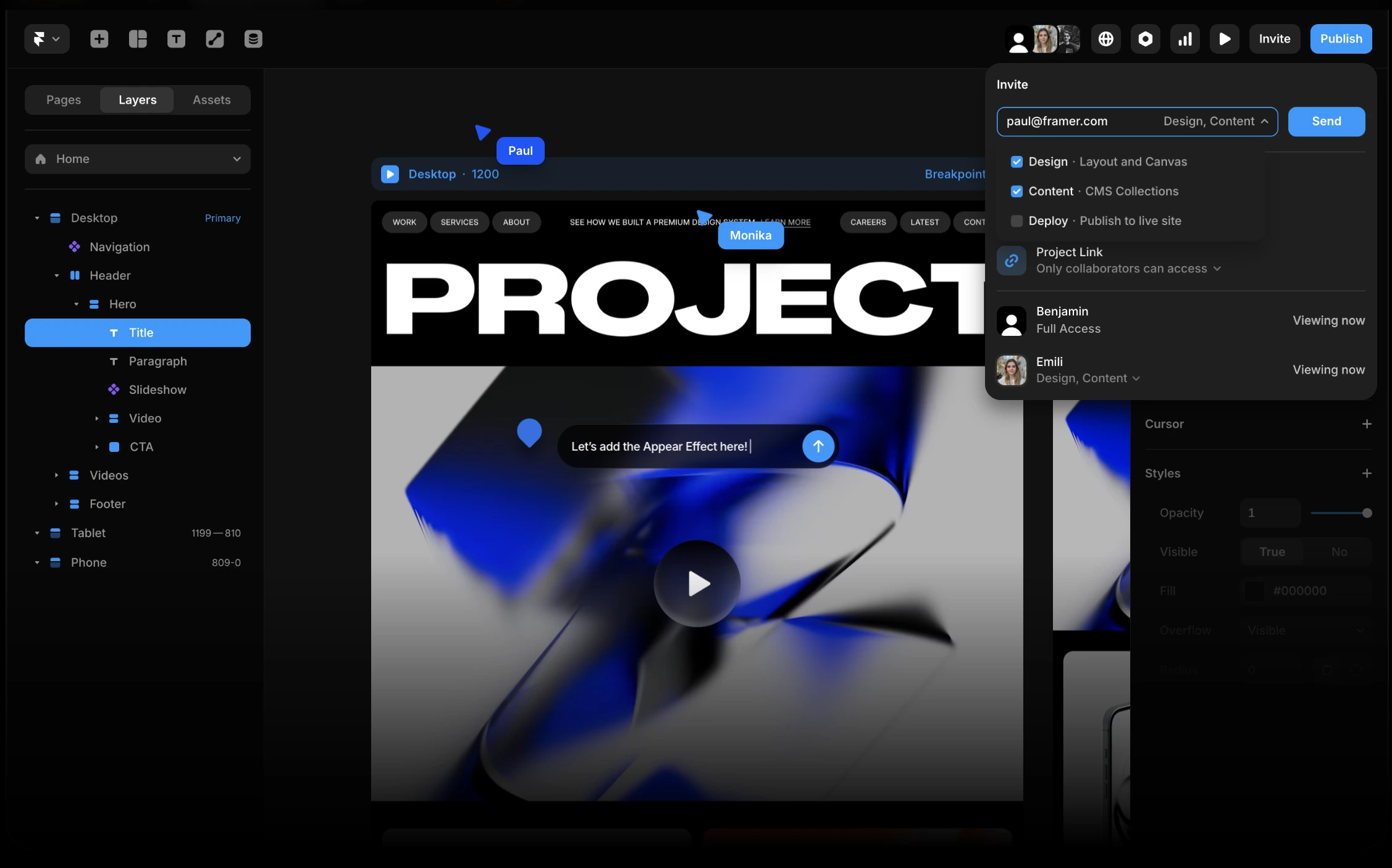
Figma’s biggest perk is its collaboration-focused environment. Multiple team members can work inside the same file simultaneously, comments can be pinned to specific elements, and stakeholders can leave feedback directly on the design without needing their own account. With a user-friendly version history feature, you can roll back to any earlier state.
Frankly speaking, no other tool matches Figma here. Large product teams, design agencies, and enterprise organizations consistently cite collaboration as the primary reason they stay on Figma.
Framer supports real-time collaboration too, and the experience is genuinely good. Multiple editors can work on the same project, comments are supported, and publishing permissions can be managed across team members. For smaller teams, it covers everything you need. But if your organization runs with ten or more designers regularly editing the same files, Figma's collaboration infrastructure is more convenient.
Design Systems and Components
A design system can be described as a shared library of reusable building elements, such as buttons, cards, typography styles, etc. These blocks keep every screen and page consistent. When working on large projects, having a reliable design system is a must.
Many professionals consider Figma's component system to be the benchmark. Users can build deeply nested components with variants, expose specific properties for customization, and distribute design systems across multiple projects and teams. Designers can subscribe to shared libraries and automatically receive updates when a component changes. This kind of infrastructure is what makes this platform the choice for professional product design teams.
Framer has a reliable component system too, with a public marketplace of free and premium components that can be dropped directly into the project. For website building, this is more than sufficient. However, Figma offers more when it comes to the deeply layered, multi-project design system management that large product teams need.
Pricing and Plans
Figma Pricing
Figma's free Starter plan includes unlimited drafts, UI kits and templates, and 150 AI credits per day (up to 500 AI credits per month). For access to Figma Sites beta, you will need to choose a Professional plan. Users can purchase additional AI credits for the whole team to share.
Pricing details:
Starter Plan — Free.
Professional — $16/mo (full seat); $12/mo (dev seat); $3/mo (collab seat).
Organization — $55/mo (full seat); $25/mo (dev seat); $5/mo (collab seat).
Enterprise — $90/mo (full seat); $35/mo (dev seat); $5/mo (collab seat).
Click here (opens new window) to find out more.
Framer Pricing
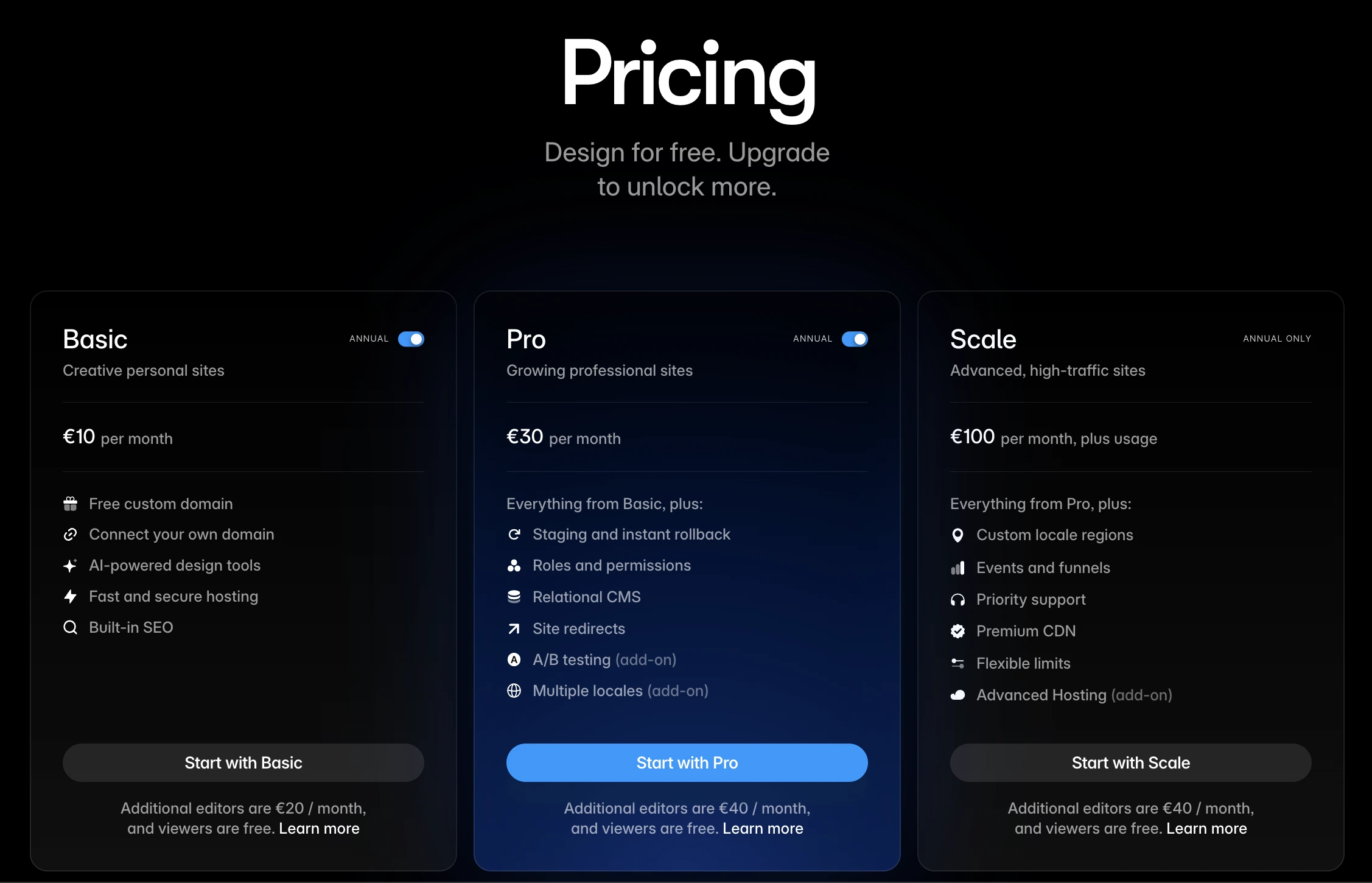
The free plan includes access to 10 CMS collections, 1,000 pages, 5 MB file uploads, and one free locale to try. This is enough to explore the platform, test its design features, and create templates. A paid plan is required to connect a custom domain. Workspaces without a subscription support collaboration with three editors maximum.
Pricing details:
Basic Plan — $10/mo (domain customization, AI-powered design tools, fast and secure hosting, SEO features).
Pro Plan — $30/mo (staging and instant rollback, roles and permissions, relational CMS, site redirects, A/B testing add-on, multiple locales add-on).
Scale Plan — $100/mo (everything from Pro Plan, plus custom locale regions, events and funnels, priority support, premium CDN, flexible limits, advanced hosting add-on).
Click here (opens new window) to find out more.
Use Cases: When to Choose Each Tool
So which tool is the best? The answer depends entirely on the project goal and the capabilities of the team. Here is a practical breakdown.
Best for UI/UX Design
When creating interfaces for an app, a digital product, or a complex web application — Figma is the right tool. Here is why:
- Seamless collaboration on the same files with multiple editors working simultaneously;
- Professional process of building a design system that covers hundreds of components and stays consistent across many product areas;
- Easy way of to inspecting designs, extracting measurements, and copying CSS values or assets;
- Stakeholders can leave comments and review designs without editing access;
- Implementation of numerous plugins from the community marketplace.
Figma is the industry standard for product design and operating it is an essential skill for most job listings for UI/UX designers.
Best for Website Building
If the ultimate goal is to build a functional website with minimum effort and a limited timeframe, Framer is the better choice.
Here is when to choose it:
- The task is to design and publish without handing anything off to a developer;
- The website must have good SEO foundations from the start;
- A clear and simple CMS is required;
- Small teams or individual entrepreneurs who need a website running in no time;
A freelancer building their own portfolio, a startup founder creating a launch page, a small agency delivering client websites — these are the situations where Framer saves significant time and lets you control the process. Figma still makes more sense as the design phase tool for more complex projects. Many teams actually use both: Figma for design and prototyping, and then Framer or another builder for the final site.
Conclusion: Which Tool Should You Choose?
If you still can’t decide, start with the free plan on whichever one feels more relevant to your current project. Test the available features, evaluate your personal comfort when using each platform. Sometimes, a personal experience like navigation menu convenience can be a deciding factor. We hope this article helped you get a better understanding of these two hands-down great tools. Best of luck in your future projects!