
In 2026, finding a website builder application should not be a Herculean task, but here we are debating the better platform between Framer and WordPress. Firstly, both systems are genuinely great and have changed quite a bit since their inception. The conflict is that both cater to different needs.
Framer began its journey as a JavaScript library and a prototyping tool to narrow the difference between design and development. However, today it has become a no-code website builder that features a design canvas, animation controls, and built-in hosting that feels almost similar to Figma. On the other hand, WordPress is an open source CMS (content management system) that has been quietly powering around 43% of all websites on the internet, ranging from simple blogs to detailed e-commerce stores.
Though both of them have their advantages, the question remains: What is the right platform for you? Well, that comes down to your online needs, how much technical expertise you possess, and how long you plan to run the project. This guide will take you through all the major factors, such as design, SEO, CMS, integrations, performance, and pricing, so you can make an informed decision.
Introduction: Framer vs WordPress Overview
What is Framer?

Started in 2014, Framer (opens new window) began its journey as a UI/UX designer's software for demo mockups. In 2022, it pivoted to a modern code-based web design tool that specializes in making visually appealing websites using a drag-and-drop interface along with advanced features for coders.
Today, the platform is a top choice among freelancers looking to set up portfolio websites, entrepreneurs who are looking to make a landing web page in a weekend, and product teams generating marketing microsites from scratch without the need for a developer. Thanks to its flexible design, real-time collaboration, and hosting in the paid plans, the application is loved by UX/UI designers.
What is WordPress?
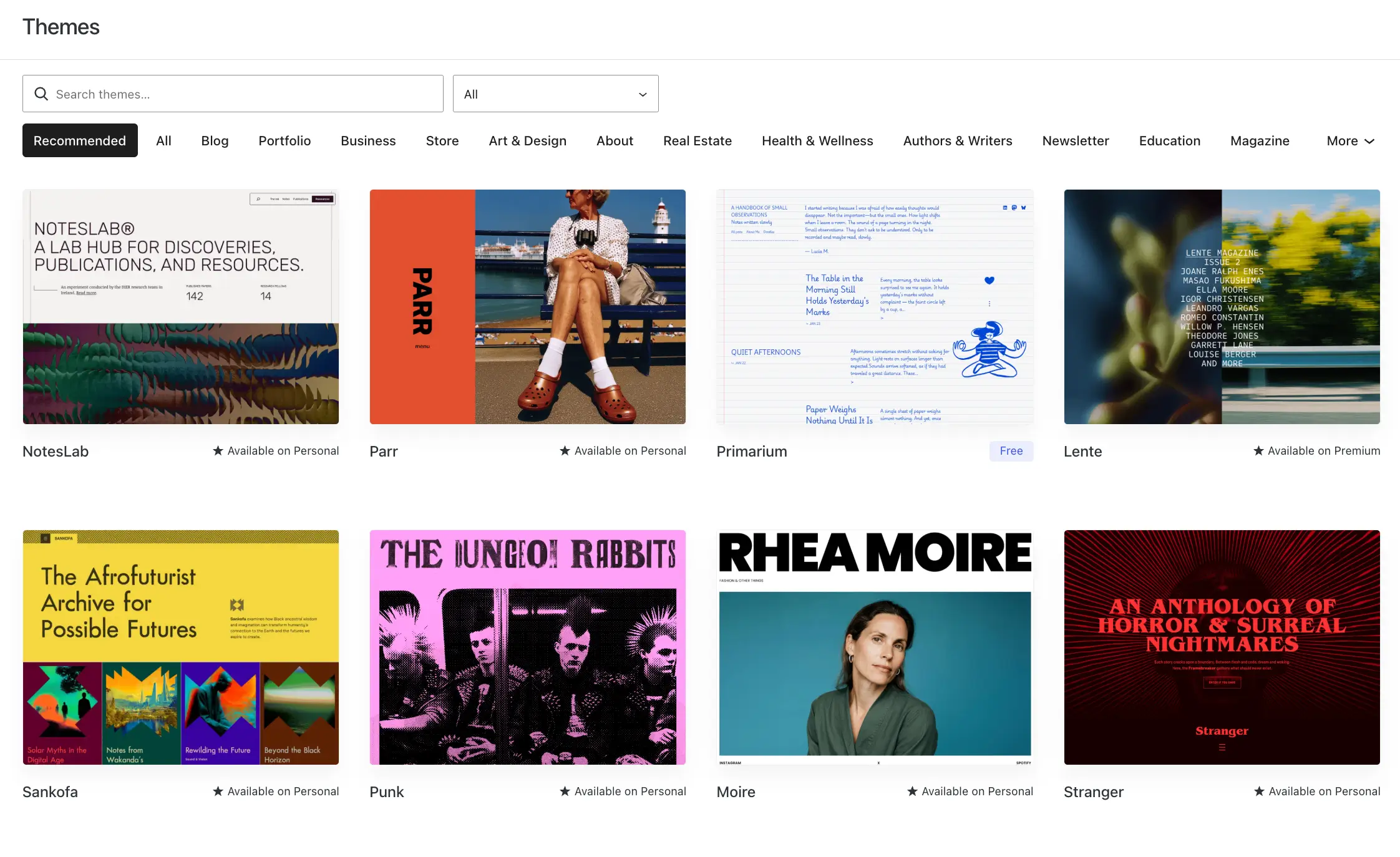
WordPress (opens new window) is an open-source CMS that powers over 43.4% of all websites on the Internet. It has been around since 2003, and helps users create various types of web pages, from complex online stores and enterprise-level news portals to normal blog posts.
The main software provided by WordPress is free; the only pricing is for premium themes, hosting, and its plugin ecosystem. The highlight is that there are many themes and more than 61,000 plugins in the official directory, which covers everything from contact forms and SEO to full-fledged e-commerce shops and membership websites.
Key Differences at a Glance
Here's the quick summary before we go deep:
| Feature | Framer | WordPress |
|---|---|---|
| Ease of use | Very easy thanks to the drag-and-drop canvas | Moderate, as there is a need for plugins & setup |
| Hosting | Built into all paid plans | Pay separately for what you choose |
| Design freedom | High design freedom similar to Figma | Depends on theme/page builder |
| Animation | Built-in | Through custom JavaScript and plugins |
| SEO tools | Basic system level | Extensive via plugins |
| E-commerce | Third-party integrations only | WooCommerce support plugin |
| Plugins/extensions | Limited marketplace | 61,000+ plugins |
| Maintenance | The platform takes care of it | User manages updates & security |
| Pricing | Basic from $10 (hosting included) | Free core + hosting + plugins |
| Best for | Portfolios, home web pages, SaaS sites | Blogs, online stores, complex projects |
Design and Customization
Visual Editor Comparison
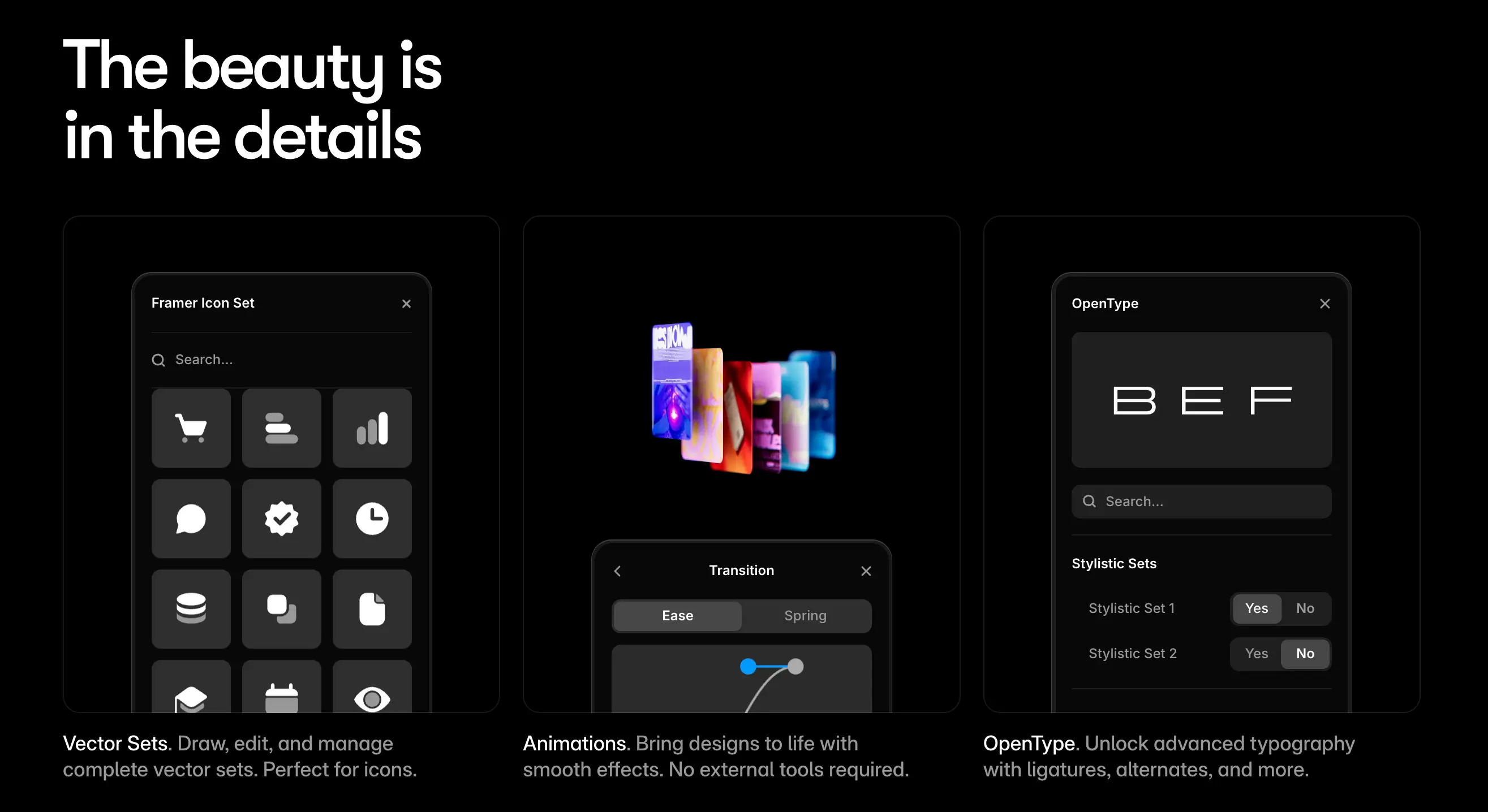
At Framer, a user gets a what-you-see-is-what-you-get (WYSIWYG) canvas that is minimal, clean, and very similar to Figma. A person can freely resize, use an intuitive drag-and-drop, get built-in animations without a plugin, and preview the website on desktops, tablets, and mobile layouts side by side.
WordPress, on the other hand, functions on Gutenberg (block editor) as a standard, which may be limited. However, by using visual web page editors like Breakdance and Elementor, a user can get drag-and-drop design features with spacing options, style panels, and section control. In WordPress, the structure feels like a constraint rather than an open canvas with robust options.
Template Flexibility
Framer comes with a library of design-forward templates that are great for portfolio portals, marketing websites, startup landing pages, and SaaS products. The interactive designs look unique and allow for redesigning and rearranging freely. Their application also features web page sections and community-built components.
WordPress has a nearly unlimited supply of templates that are driven by block-based themes (FSE) and advanced web page builders. They allow users to customize headers, footers, and layouts without any code. The quality can vary from stunning to subpar depending on your personal preferences, but if you are building something specific, there is definitely a theme for it.
Animation and Interactions
Framer shines when it comes to animations and interactions, as the application was built with this in mind. Getting hover effects, scroll-triggered transitions, and 3D elements feels effortless and requires no coding skills. The final output is an interactive web page that cannot be replicated on WordPress without using a few plugins or a custom line of code.
WordPress can also do great animations, but requires dedicated plugins and integration tools to fully utilize its potential. Either a user has to find the right plugin for customizations, or they will need to write some code. This process can increase the website development plan drastically, unless a customer is looking for simple functional animations or form feedback.
SEO Capabilities
Built-in SEO Tools
Just like other website builders in the market, Framer comes with a comprehensive set of built-in SEO tools like meta descriptions and custom page titles that are designed for performance and speed. Some of the key features include cookie-free analytics for the past 30 days' activity, semantic HTML markup, fast web page loading, easy editing of meta descriptions & titles, and Open Graph tags for social sharing.
When it comes to SEO, WordPress is one of the most friendly platforms out there, but only with the use of plugins. Without them, it is quite basic with just the meta title and description fields. However, with its wide range of plugins, things like XML sitemaps, breadcrumbs, advanced redirect management, and keyword-rich URLs are exceptional.
Plugin Support for SEO
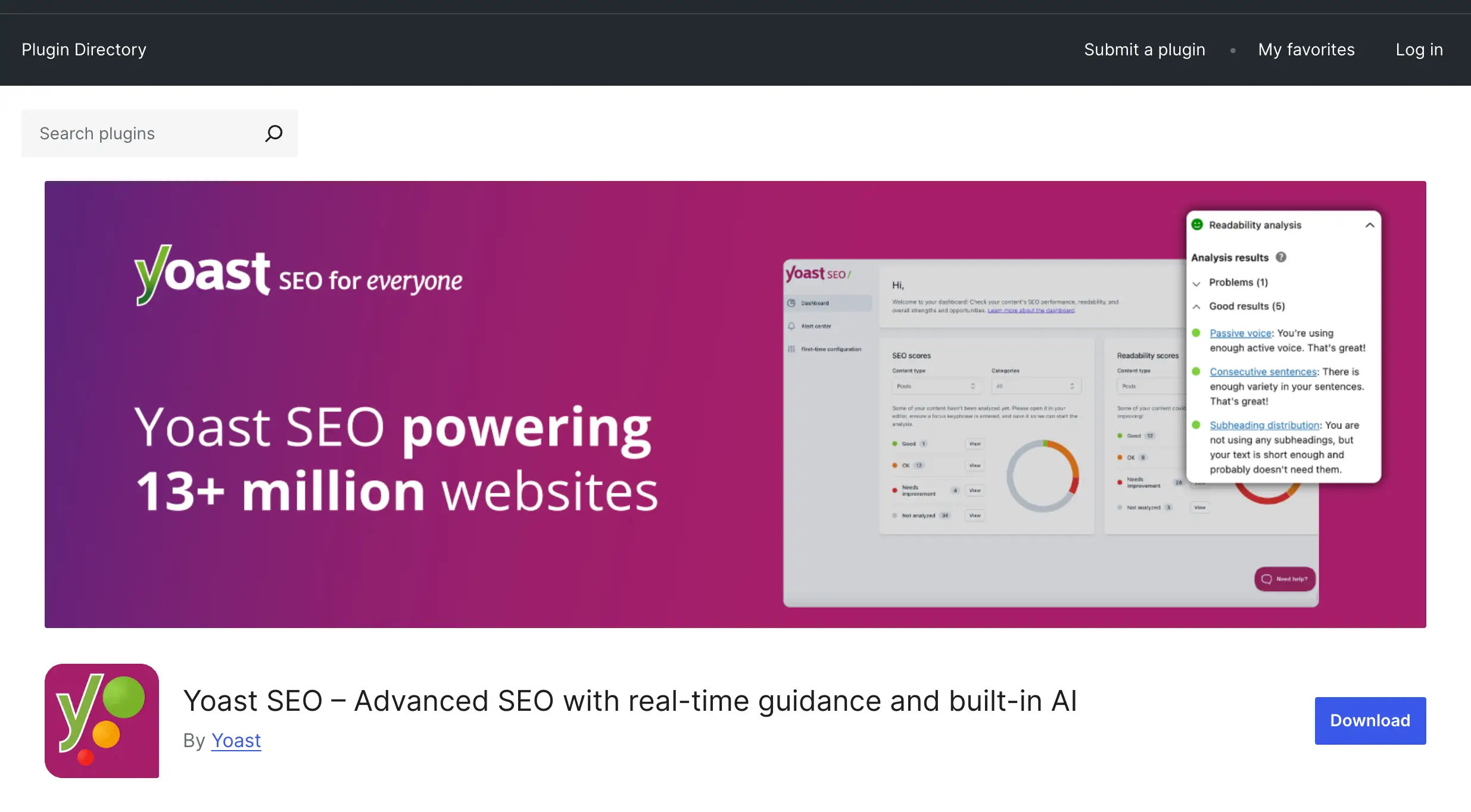
WordPress outright shines when it comes to plugin-driven SEO, as Framer only provides a comprehensive set of built-in tools. The massive library of plugin support from WordPress, such as Rank Math and Yoast SEO, gives the user massive features like schema markup, internal linking, and advanced redirects. All this (metadata, high-speed loading, and alt text) is handled by Framer without any additional support and by relying on native tools.
However, it is worth noting that Framer websites are generally faster than WordPress in practice, because of better Core Web Vitals. They also outrank WordPress when it comes to ease of use, as they were designed for no-code SEO. The one place where WordPress wins is scalability, as large, content-heavy websites with CMS capabilities make for better long-term growth.
Performance and Core Web Vitals
As we mentioned, when it comes to loading speed and performance, Framer beats WordPress effortlessly with a PageSpeed score in the 90s. This is because the platform is optimized with clean code and removes the translation layer between code and design, leading to lightning-fast load times and better performance.
WordPress can potentially match the performance and speed, but it requires a lot of fine-tuning, a well-configured web page with the right plugins, and a few paid services to achieve identical Core Web Vitals. A typical WordPress website ranks at a PageSpeed score of 60 to 70. The issue here is that too many plugins, heavy lines of code, and external tools lead to poor performance.
CMS and Content Management
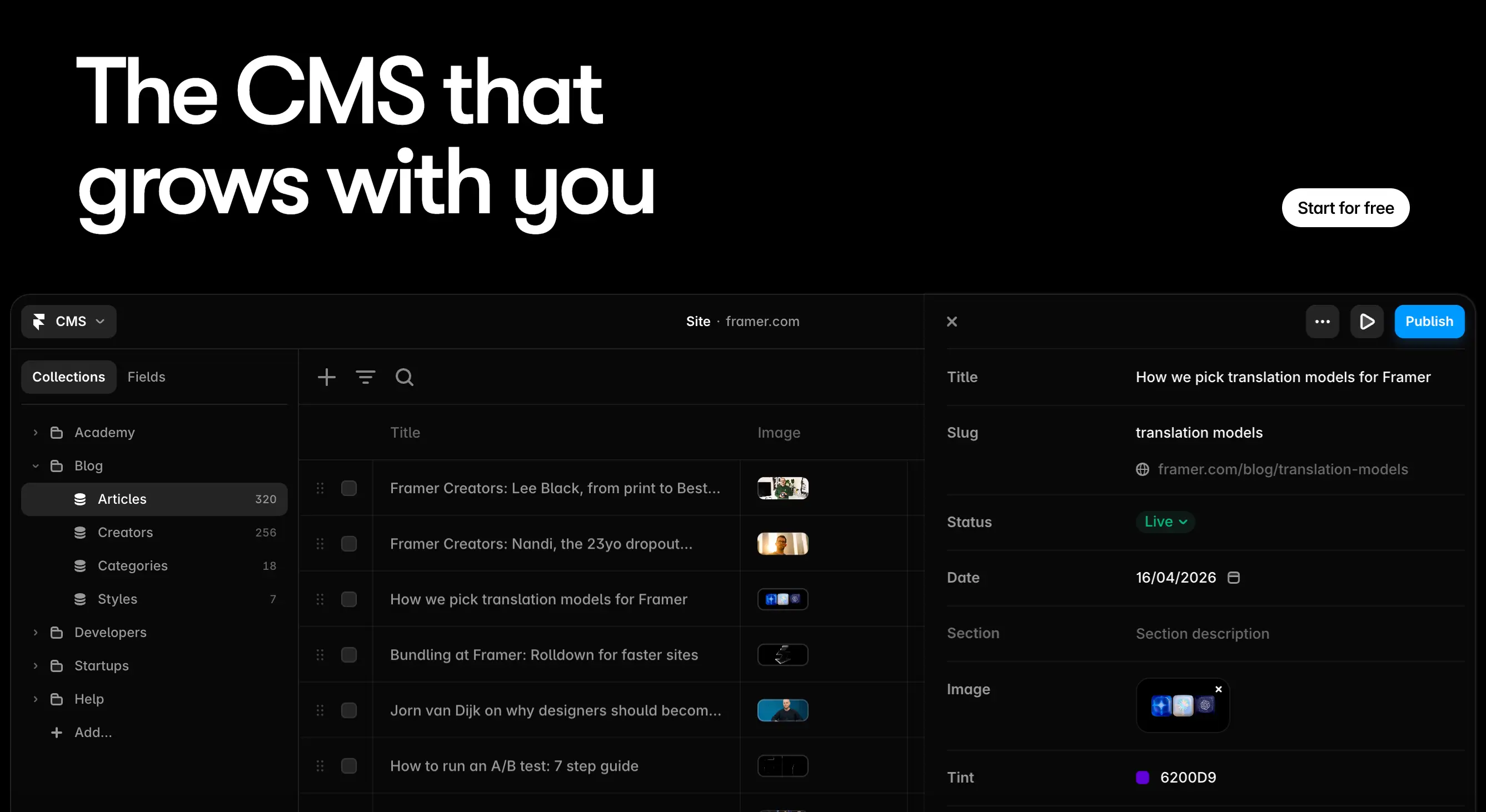
Framer CMS Features
Framer has a functional built-in CMS made for no-code website generations. Whether a user wants to create a product listing, blog post, portfolio portal, or marketing web pages, they can do so easily, and also add custom fields, have content flexibility, build dynamic pages, and include reference fields. You can design just one main page, and let the platform automatically create the other individual web pages for every item in a collection, with a table view, images, and dates. The only downside is the ceiling when it comes to scalability.
WordPress CMS Flexibility
WordPress is the most flexible open-source CMS in the market that lets users manage thousands of items per collection. With its numerous plugins and thousands of themes, it provides a lot of flexibility for customization of websites. Be it a small blog post portal or a massive online store with complex features, the software allows customers to create modern websites tailored to their needs without advanced coding skills. The editing and marketing team members love this platform as it lets them update posts, publish articles, swap images, build templates, and manage content without worrying or altering the layout of the website.
Content Scalability
In terms of content scalability, WordPress dominates as it helps the website grow with the business. For small and medium-sized web page content like portfolio portals with a handful of case studies and personal blogs with a few hundred posts, both platforms perform equally well. The ceiling starts when content operations evolve into publishing 24 plus articles a week, the comprehensive digital ecosystem of WordPress begins to shine, as the application was designed for scalability.
Plugins and Integrations
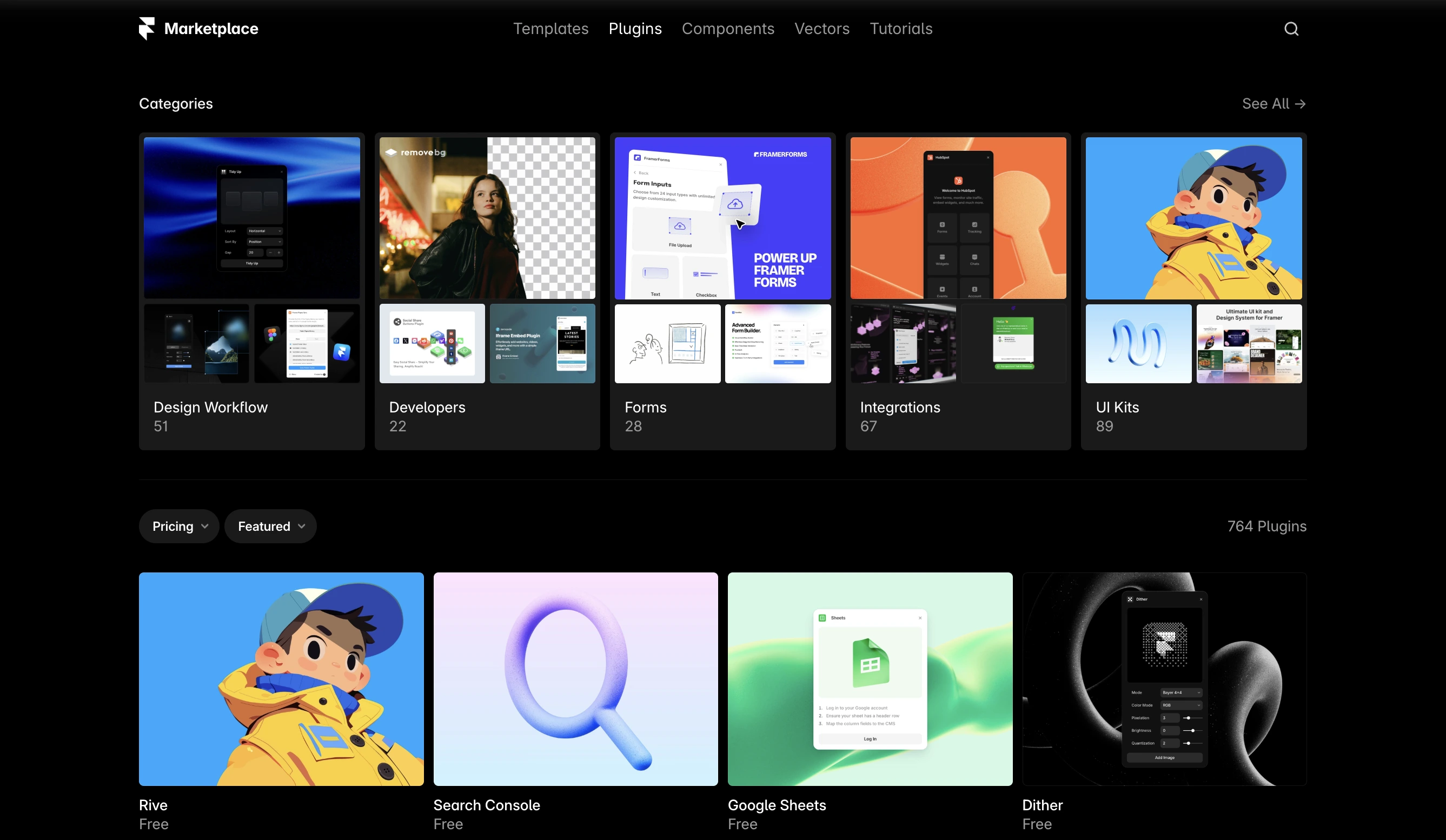
Framer Integrations
Framer allows for third-party integrations with outside tools and offers built-in extensions that help customize workflows, automate repetitive tasks, and connect to external services in the built-in editor. Some of its Marketplace tools also include AI functionality for image and animation generation, Unsplash plugin for stock photos, content synchronization with Google Sheets/Notion, and CMS Export to manage data from spreadsheets. The integration library of Framer is smaller than WordPress, and if your website depends on a specific third-party tool, then do check it before committing to the platform.
WordPress Plugin Ecosystem
If anyone has used WordPress, they know that its ecosystem contains over 61,000 free plugins for performing various tasks. They also happen to have a premium plugin marketplace that is even larger than its free one. There is a tool for nearly everything, be it a contact form, subscription billing, affiliate tracking, multi-language content, appointment booking, etc. This massive abundance is also a big headache for users, as sometimes two plugins can have a conflict with each other, or an update could suddenly ruin a perfectly smooth functioning website. Managing a web page requires constant attention and regular debugging.
Third-Party Tool Support
Both applications have a different approach to third-party tool support. Framer focuses on API based integrations and high performance that is design-centric in nature. While WordPress relies on its large ecosystem with thousands of plugins for any and every functionality. When it comes to common platforms like Google Analytics, Hotjar, Facebook Pixel, and Google Tag Manager, both builders support them.
Performance and Speed
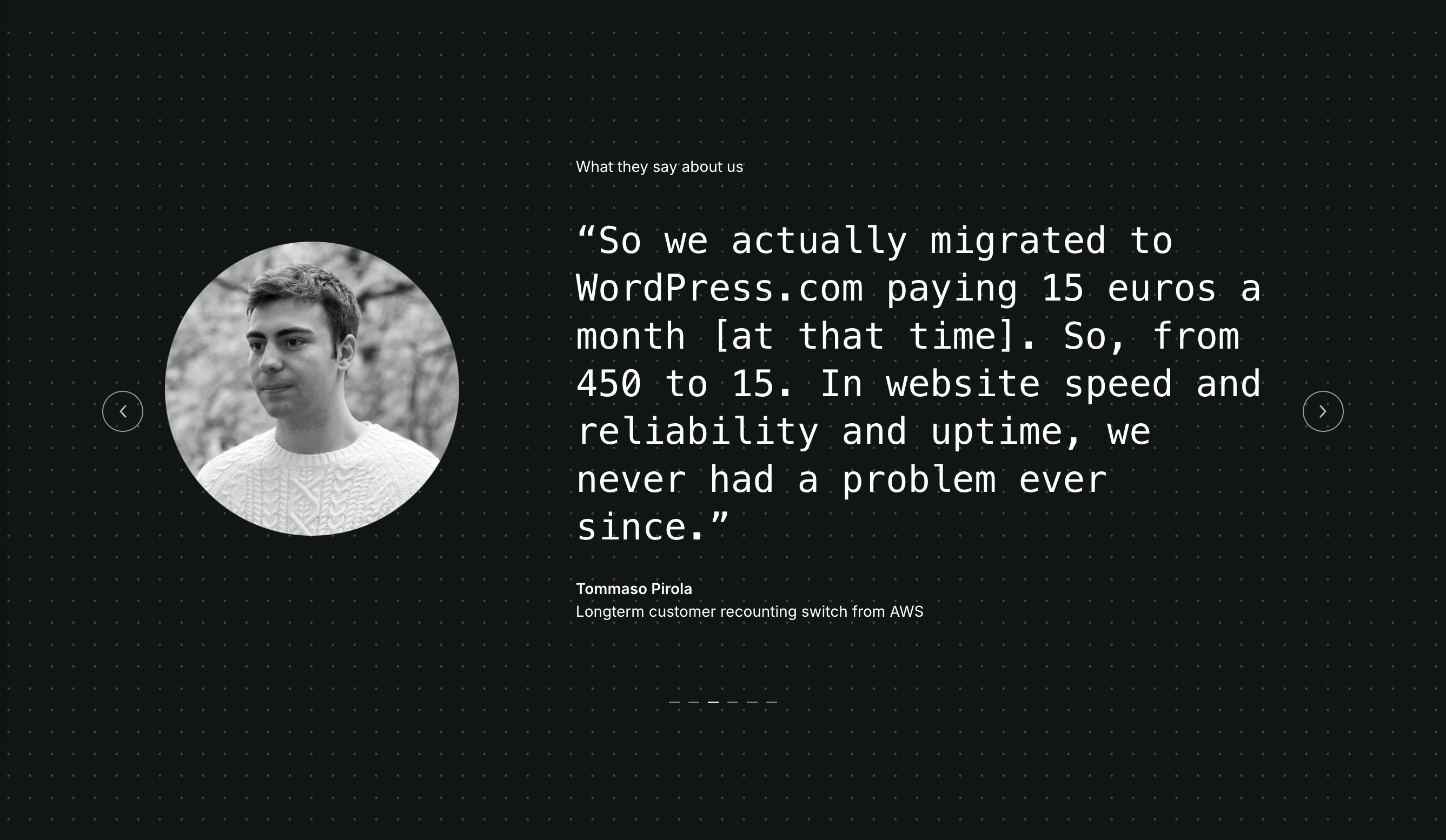
Hosting and Load Times
As we already mentioned, Framer hosting is included in every one of their paid plans, and thanks to the platform’s static website generation, it provides a superior load time (with a PageSpeed in the 90s) in comparison to WordPress. Since the web pages on Framer are pre-rendered, the visitors get an instant load time regardless of their worldwide location.
WordPress, on the other hand, specializes in deep customization and content scaling rather than high-performance design. Hence, users will find slower load times with their websites. In terms of hosting choices, there are many budget options available, such as entry-level or shared hosting, that cost $3 to $10 per month.
Optimization Requirements
Both applications feature two distinct approaches when it comes to website optimization. Framer handles all the backend work, such as lazy loading, image compression, and code minification, automatically without the need for any plugins.
WordPress requires manual intervention and active maintenance to achieve optimal performance, which depends on the hosting plans, theme or templates, and plugins used by the customer. This platform remains the preferred choice for large, content-heavy, or complex websites that are made for scaling.
Mobile Performance
Since nearly everyone in the world operates their day-to-day business on mobile devices, both applications feature responsive websites that can easily adapt to any screen size. Framer has a slightly superior performance as its canvas is compatible with tablet and mobile views. In the case of WordPress, the template determines your web page's responsiveness, as older themes require some fixes for better mobile and tablet viewing.
Maintenance and Security
Updates and Management
Framer is an all-in-one platform that has been developed with a design-first approach. A user's hosting, software updates, security patches, and performance enhancements are all handled by the backend team of the company. A creator has to just design and publish their website; everything else is managed by the application moving forward.
WordPress requires proactive, continuous management as the maximum control approach comes at a cost. Since the website customization happens with different plugins, core software, and themes, each of these needs to be updated independently and regularly.
Security Responsibilities
Framer is a fully managed application, where the attack surface is small because it is a closed platform. Since the users do not manage the server and there are no vulnerable plugins, security works smoothly without much effort, and the responsibility is on the platform level.
Since WordPress powers over 43% of the online websites, it is the primary target for automated attacks. The leading causes of hacks are usually weak passwords, unpatched core systems, and obsolete plugins. The platform follows a shared responsibility approach for security, where the maintenance and security needs are also on the user.
Backup and Recovery
Framer removes the need for manual backups as it stores version history, which lets creators go back to the previous version of the website. All the backup is automatic, and no configuration is required here.
WordPress backup is completely dependent on the user’s setup. The website can be vulnerable to hacking, server issues, and plugin conflicts. If you are on a shared hosting, then keeping three copies of web pages on two different media is advised. For business-critical data, opt for Google Drive or Amazon S3.
Pricing and Total Cost
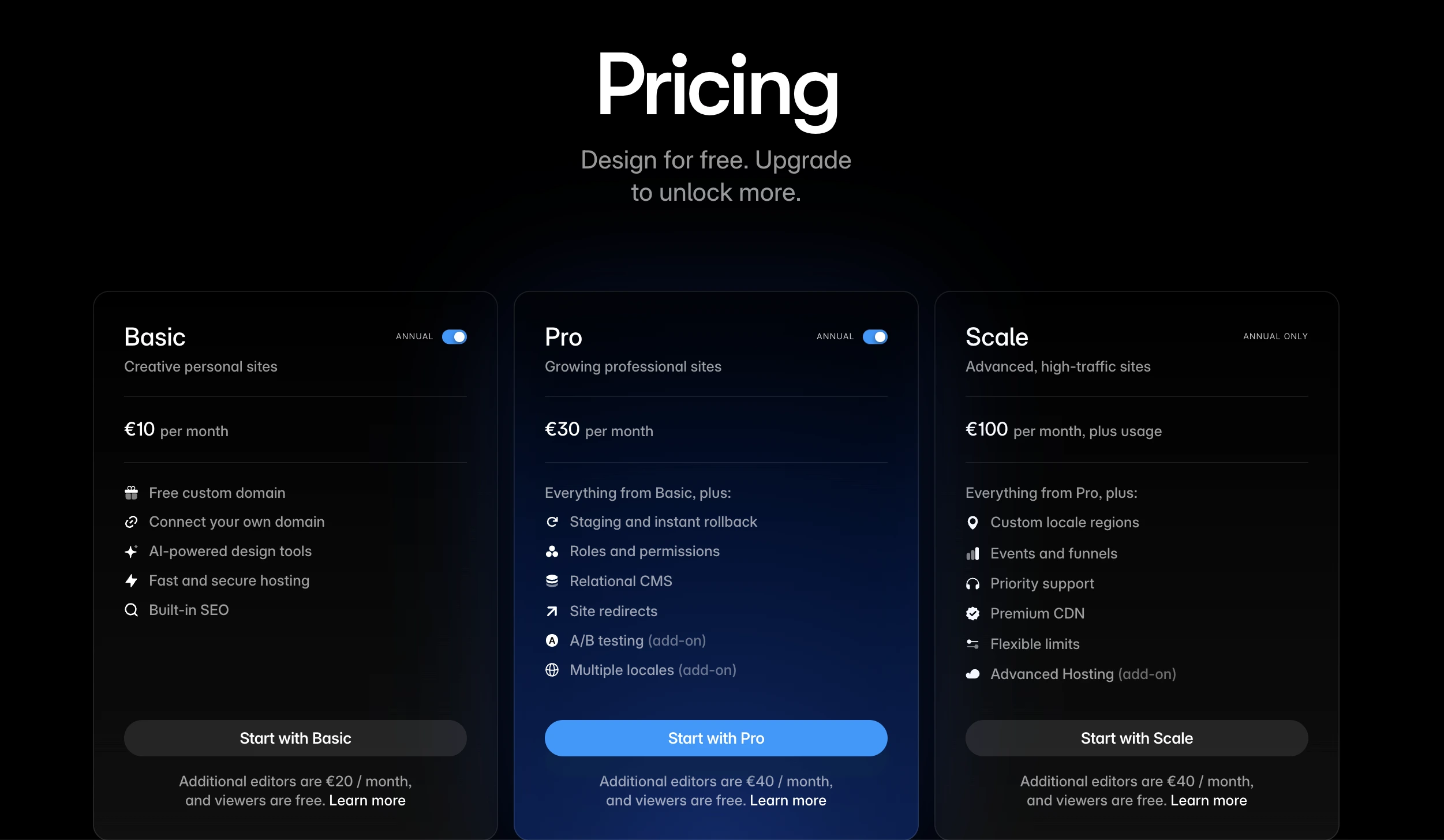
Framer Pricing Plans
The free plan includes access to 10 CMS collections, 1,000 pages, 5 MB file uploads, and one free locale to try. This gives users an opportunity to explore the platform, test its design features, and create templates. To connect a custom domain, a paid plan is required. Workspaces without a subscription support collaboration with up to three editors.
Pricing details:
Basic Plan — $10/mo (domain customization, AI-powered design tools, fast and secure hosting, SEO features).
Pro Plan — $30/mo (staging and instant rollback, roles and permissions, relational CMS, site redirects, A/B testing add-on, multiple locales add-on).
Scale Plan — $100/mo (everything from Pro Plan, plus custom locale regions, events and funnels, priority support, premium CDN, flexible limits, advanced hosting add-on).
Click here (opens new window) for more information.
WordPress Costs
The core software is free and open source under the General Public License (GPL): users can download and install it, as well as build their websites free of charge. But putting the website online costs money. You’ll have to pay for a domain, hosting, and premium themes, plugins, or advanced features.
Pricing details:
Personal Plan — $9/mo (creating and publishing a website with a custom domain name, 6 GB storage, unlimited pages, posts, users, and visitors, ad-free browsing experience for your visitors, premium themes, stats, install plugins, fonts and colors customization).
Premium Plan — $18/mo (everything from Personal Plan, plus 13 GB storage, Google Analytics, and video uploads).
Business Plan — $40/mo (everything from Premium Plan, plus 50 GB storage, SFTP/SSH, WP-CLI, Git commands, and GitHub Deployments).
Commerce Plan — $70/mo (everything from Business Plan, plus e-commerce tools and optimized WooCommerce experience).
Long-Term Value Comparison
When building a simple website with Framer, users get SEO settings in the most basic plan, and the monthly bill is predictable, while WordPress plugins can increase the bill, depending on the project. The extra cost is fully justified, when it comes to complex, content-heavy projects.
Use Cases: Which Platform to Choose
When to Choose Framer
The platform is the better choice when:
- Visual quality is the primary goal;
- Fast launch is the priority;
- The site is a landing page, portfolio, product page, or startup website;
- Animations and visual interactions are central to the brand experience;
- You want an all-in-one solution with no maintenance overhead.
When to Choose WordPress
WordPress is the smarter solution for:
- A blog, news site, or any content-heavy property with hundreds of posts;
- A full e-commerce store with inventory, checkout customization, and payment options;
- Specific functionality that only a dedicated plugin can provide;
- Total control over the server, code, and data;
- A multilingual site, a membership platform, or a complex directory.
Migration Options Between Platforms
Moving from Framer to WordPress is a complex process, involving URL structure planning to preserve SEO equity, content export and restructuring, design specification documentation to rebuild animations, redirect mapping to avoid broken links and ranking losses, schema and metadata preservation.
Going the other direction can be simplified by using the HTML to Framer Chrome extension, which is an efficient way to bring a site into framer without a complete rebuild.
One important caveat for Framer users: because Framer doesn't allow you to export your site's code, you're tied to their hosting. If the platform shuts down a plan or changes pricing significantly, your options are to rebuild elsewhere. WordPress, being open-source, can be moved between hosts freely.
Conclusion: Final Recommendation
After going through every dimension of this comparison, here's the honest takeaway: there is no universally better platform. These two tools solve different problems. Framer wins on design quality, speed-to-launch, performance out of the box, and overall ease of use. If you're building something visually ambitious and want to go from idea to live site without dealing with servers, plugins, or update notifications, Framer should be the go-to tool. WordPress wins on scale, flexibility, and total cost of ownership at the higher end. If your site will eventually have thousands of posts, a functioning WooCommerce store, a custom membership system, or a dozen specialized integrations, it gives you a platform that can absorb all of those requirements. The extra maintenance overhead is real, but for serious projects, the power justifies it.