
Every business, whether online or offline, needs a website to achieve higher customer retention. Using a customized online platform, a brand can stand out against competitors and let its target audience understand its unique offerings better. Creating and deploying a website was a difficult task in the past, but nowadays, with the help of no-code builders, it has become more accessible than ever before. Several applications offer free templates and integration tools that can make a website in a matter of minutes and at a nominal cost.
The SMEs(small and medium enterprises), especially one-person startups and new entrepreneurs, always have a small startup budget. They usually end up spending most of their capital on getting the business off the ground. So when design agencies and developers ask them for thousands of dollars for a simple web page, many owners ask the most common question they can: How do we make a website for free?
Though it is possible to have a completely free website, some amount of money is needed to purchase a domain name, pay for hosting, etc. So let us help you make your online platform at the lowest capital possible or free, depending on your requirements.
Before you start: pick your path
Before we actually get down to building the website, we need to figure out the option your brand needs to take based on your requirements and technical expertise. The free path happens to have no code website builders, open sourcing, and free hosting platforms as options. Let us understand them better:
Website builders
Most no-code website builders in the market today come with a free trial plan that allows users to test out the product before going for a paid service. Many of these also allow free website integration services, but they do have their individual limitations that need to be researched. Let us explore some of the top applications that you should consider.
1. SpreadSimple
SpreadSimple is one of the most feature-rich options in the market today, which lets users create a website in a matter of minutes using just Google Sheets. The highlight is that the spreadsheet functions as a content management system (CMS) for the platform, which means you can update your product information in just a few clicks by editing your sheet. There is no need for any technical skills or coding knowledge required and the tool provides the perfect balance of simplicity and flexibility. Owners can use pre-made templates and fill in their content in a matter of hours.
Or simply use AI, and generate a website, design the web page layout, and fill up the content in a matter of minutes without any coding, designing, or copywriting skills. Even with the use of an AI prompt, the business’s website will stand out, thanks to creative integrations and the freedom to customize features, choose the layout, and connect add-ons to make your web page look one of a kind.
Pros:
- Great for first-time entrepreneurs and new entrants into the online world.
- Extended functionality with easy integrations.
- Lots of customization options.
Cons:
- No search engine visibility in the free plan.
- No custom domain or password protection for free trial.
Pricing – From $12.90 to $20.90 per month with an annual billing cycle
Free Plan – Available
2.Wix
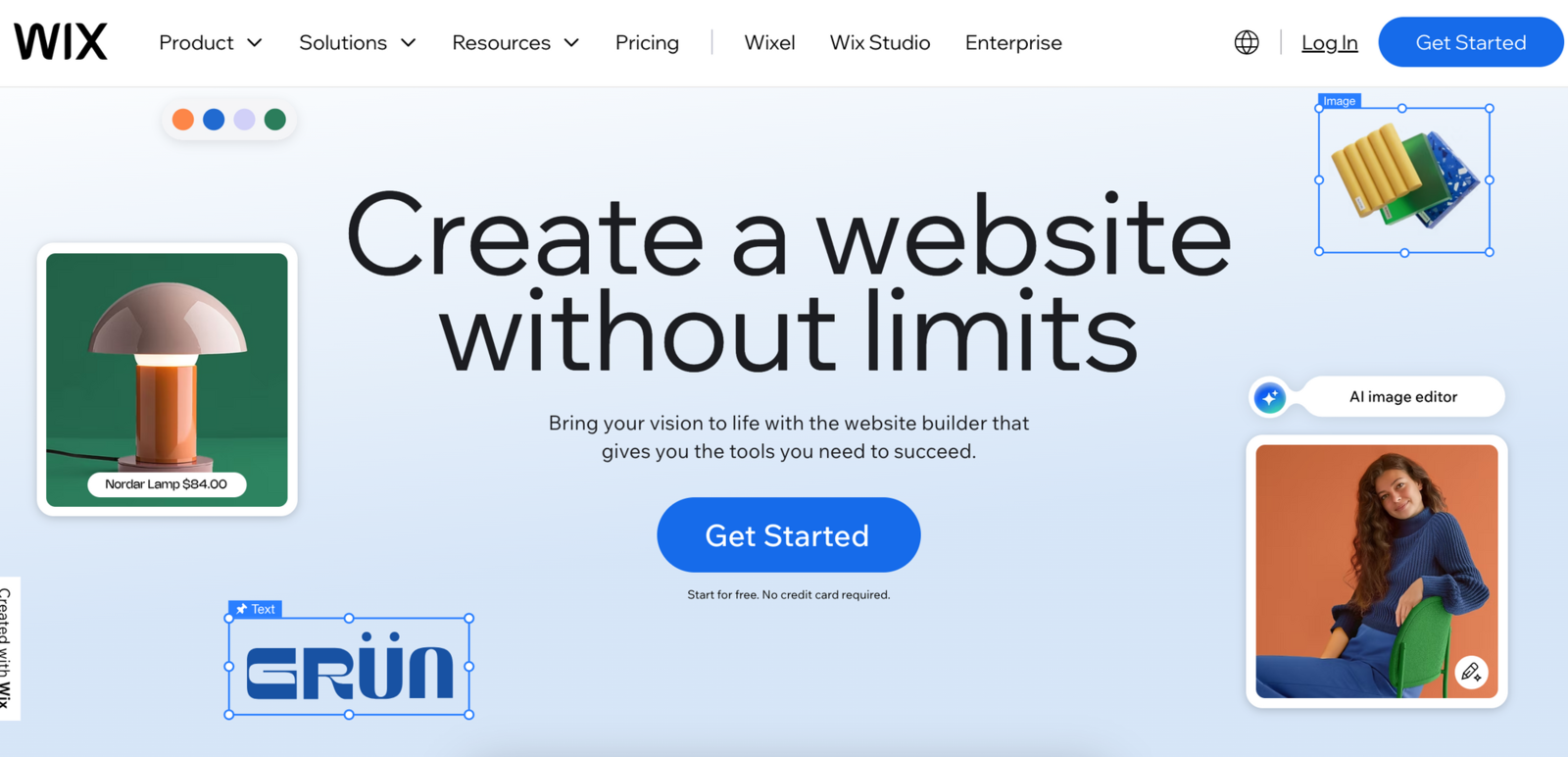
Our next contender happens to be a popular option for businesses and individuals looking for a professional website. Wix helps users create a website from a template using just a chat prompt and answering a few questions on their dashboard. There is also an option to change the fonts, add headings, include lists, and use a few drag-and-drop functions. Besides the builder, there are some integrations offered by the platform as well.
The free plan has some limitations; for instance, there is no way to specify a subdomain, making the overall website seem a little unprofessional. But most of the other features work well, especially the SEO tools and ad management from their dashboard.
Pros:
- Best for newbies and also has integration with ChatGPT.
- Offers extended features for e-commerce, mobile applications, and guided setup for SEO and marketing tools.
Cons:
- Can't choose a subdomain name for the free version.
- Works very slowly at times with lagging issues.
Pricing – from $199 to $1599 per month with an annual billing cycle
Free Plan – Available
3.Google Sites
Anyone with a Google account can build a simple website using the free no-code website builder called Google Sites. It not only helps create, but also hosts websites, portfolios, and teams using pre-designed templates.
The benefits of this application are a user-friendly interface and easy integrations with other Google services, such as documents, forms, calendar, etc. It happens to be a lovely tool for budget-conscious entrepreneurs who are looking for a functional web page. The application has lots of limitations when it comes to advanced features and design control as compared to other platforms.
Pros:
- The platform is very user-friendly, even for those with no coding knowledge.
- There is seamless integration with Google products like Drive, Docs, Calendar, and Sheets.
- The website is built for easy collaboration, allowing many users to work at the same time.
Cons:
- There are very few options for layout and design customization, as well as content placement restrictions.
- Owners have very little control over technical aspects such as web page titles or meta descriptions.
- The platform provides very few features for SEO, which does not help with search engine rankings.
Pricing – Only the free plan is available
Free Plan – Available
4.HubSpot
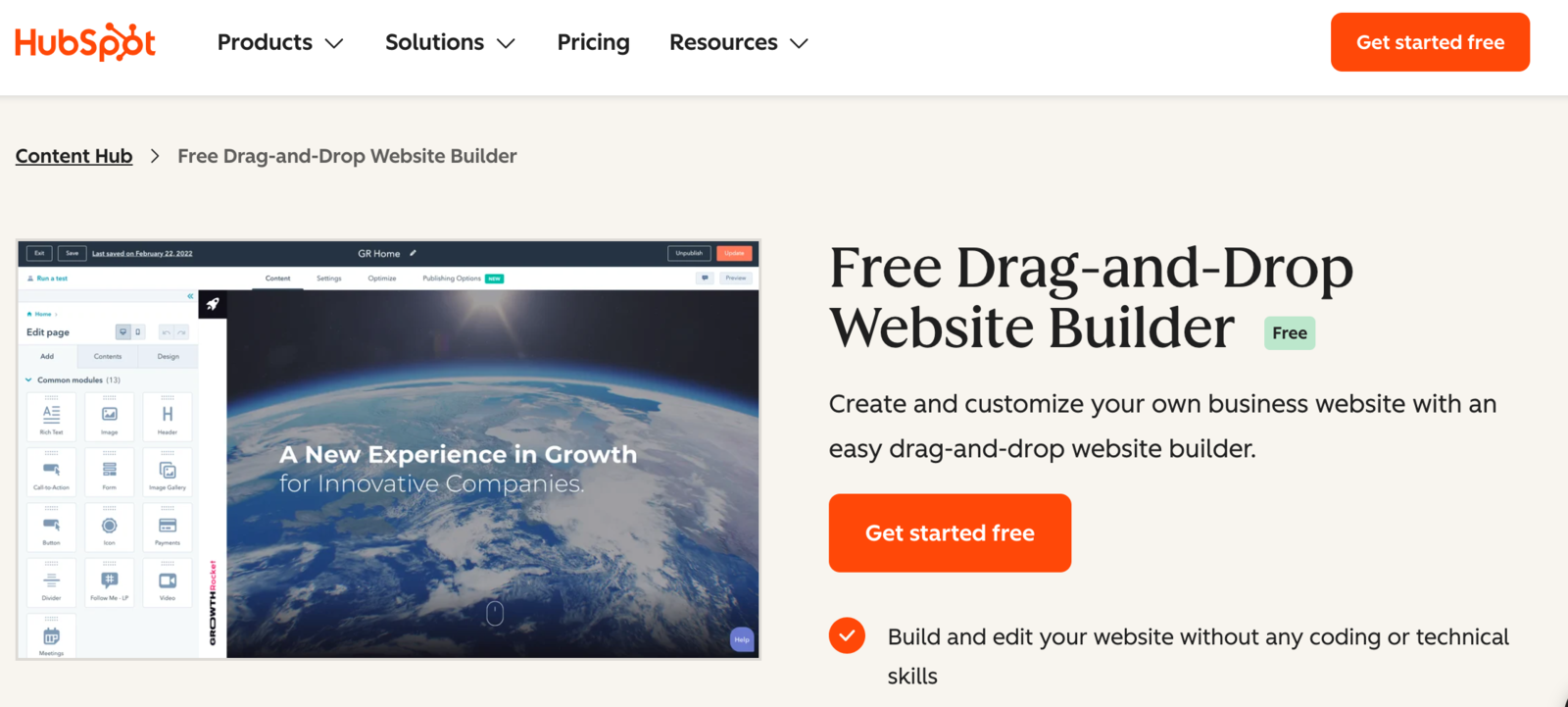
HubSpot is a marketing and sales automation application for all types of businesses. Their free program gives access to an AI builder that can generate a website layout with pre-written content and images. If you wanna build a website yourself, then select a theme and use the web page layout templates to make a functional website. Next, move on to customization by choosing the color, fonts, and layouts to match your brand. The software also offers full tutorials on how to use its drag-and-drop editor. Besides the basic functions, there is a suite of SEO tools to make sure that the website has visibility on search engines to attract new clients.
The unique thing about HubSpot is that it is not just a builder, but an application for marketing, sales, and customer support automation.
Pros:
- Quick and user-friendly AI builder.
- Offer integration with the whole HubSpot ecosystem for sales and lead generation.
- Community plugins to extend functionality.
Cons:
- The free subdomain is not very good.
- The user interface is confusing to navigate for newbies.
- Good and advanced features are available only in paid plans.
Pricing – from $9 to $79 per month with an annual billing cycle
Free Plan – Available
How to choose the right free website builder
When selecting the right free website builder plan, make sure to check for:
- Ease of use.Is the platform interface easy to navigate, especially for people with no coding or technical knowledge?
- Customization options.Make sure there is no trade-off between ease of use and customization when adjusting styles, colors, and layouts.
- SEO tools. When using a free plan to build a website, make sure there are SEO tools available for integrations, especially things like web page titles, meta descriptions, add alt tags, add schema, etc. These are important in getting organic traffic in the long run and generating leads.
- Free plan values. Make sure the plan is truly free, and the application is not constantly asking for payment to make upgrades and changes. Few platforms offer just basic functions in the free program and then keep asking for payment. The free plan also always comes at a price, so make sure you know what you are giving up.
Quick Note. Most free plan website builders come with a generic subdomain, ending with their company name. For example, they end with a default spread.name or hubspot.com. It is advisable to connect to a custom domain, such as website.com, which would be a paid feature. This is an upsell strategy that should be accounted for when moving forward with the website project as a possible future expense.
Open-source + free hosting options
The other free option for website building is having an open-source website creation and self-hosting it on a platform like WordPress. The term open source refers to a software source code that any person can modify, inspect, and enhance as per their needs. For website development, a person needs an open-source CMS that is publicly available. They allow users to use and redistribute the software freely. But only issues with this option are that some technical knowledge is needed to manage the website and self-hosting platforms.
There are many applications like WordPress, Grav, Joomla, etc, that can help to launch a web page using this technique.
The reasons developers and individuals prefer open source software and free hosting are:
- Control – It gives them more control over the software, as they can examine the code and get what they want. They also have an option to change parts of it that they do not like.
- Security – Many programmers believe that open source software is more secure and stable as compared to website builders and proprietary software. Since anyone can view and modify the code, someone might spot a mistake or error faster and correct it promptly.
- Stability – Most users feel that their critical tasks on the open source program will not suddenly disappear or fall into disrepair if their original creators stop working. This gives them a sense of stability and makes them not dependent on a company or application.
- Cost-effective and Innovation – Since there are no licensing fees for the CMS software, their upfront costs are minimal. The continuous community contributions ensure the platform stays updated with the latest web development practices.
Step-by-step guide: build a free site with SpreadSimple
Now that we have determined what is needed to launch your website, let us get into the step-by-step creation of it. Take a suitable website builder platform, such as SpreadSimple. As it is one of the most straightforward options, it allows users to create and manage web pages using the power of Google Sheets. It provides the perfect balance of simplicity and flexibility, as well as offering AI and pre-made templates for easy creation, even if you do not possess any technical skills.
Create an account and choose a free template
Go to their homepage and sign in using your Google account. No need to create a new profile — it's quick, secure, and hassle-free. Then choose a theme or design for your website that matches your brand’s color scheme and logo.
SpreadSimple offers many built-in templates to choose from that any business owner can use and customize as per their requirements. Each template comes with a Google Spreadsheet, which you can extend and fill out with your data. There is also an option to use AI prompts for a faster creation process. However, even with the use of this and pre-designed templates does not mean that your website won't stand out. SpreadSimple provides enough space for your creativity: you can add and remove features, choose the layout, and connect add-ons to make your web page look one-of-a-kind.
Customize pages
Now that the basic design is in place, the next step is to customize the web pages and add product and service information to the spreadsheet. Make sure to incorporate major keywords, as well as graphical content, into the descriptions of your services, as they can give your portal an SEO boost, which in turn will help you rank higher in SERPs.
Web page content is among the most crucial parts of your business website. It plays a vital role in building credibility, keeping users engaged, as well as boosting search engine visibility. Begin with the home page or main page content of your website. Remember, the homepage is the first impression readers get about your business. So, it should be written very carefully. Your website’s main page content should clearly explain the following:
- Who are you?
- What are your business offerings?
- Why should your customers choose you?
- What makes your products or services unique?
Make sure you do not overwhelm your target audience with unwanted information. Try to keep it as concise as possible to value the time of visitors while providing key data quickly.
However, if you could not write briefly in the first draft, consider using an AI summarizer to generate the content around its key information. It will automatically remove unnecessary details and provide a to-the-point and coherent output.
Apart from the home page, you should write some other pages, including the About, Privacy Policy, Blog, and Contact pages. On the blog page, you should regularly write high-quality blog posts to educate readers, solve their problems, and introduce your offerings.
Add basic functionality
Just because we have added the content doesn't mean the website is ready to launch. Think about adding basic functionalities like checkout policies. They are like the rules of your business that customers must be aware of. For instance, the Terms & Conditions, which tell the users about the policies for cancellations, promotions, deals, etc. Make sure to keep this information clear and concise for your potential consumers.
Though the above-mentioned information would be enough to get a basic website and get started on your online journey. There is still some fine-tuning needed before launching the website to the public. Here are some essential elements that you should include in your website:
- Contact information – Make it easy for the target audience to get in touch with the business. Add the phone number, address, and email, as well as links to your social media accounts. You can also embed a map to help your customers understand where the business is located.
- About Us page – Share a bit about you and your history, the mission statement, and any awards or accolades that the enterprise received. You can also highlight members of the team to give a personal insight into them. This, in turn, helps to build trust and connect with the consumers.
- Reviews & Testimonials – Including reviews from satisfied customers can help build trust and brand credibility with new audiences. You can also consider adding photos of products, images of satisfied customers, along with their testimonials, but only with their permission.
- Images – Do not underestimate the impact of high-quality photos of your business and its products. These can help your guests get a sense of what it's like to visit your establishment.
- Special events – Highlight any special events you have coming up, such as deals, festivals, or holiday-themed discounts.
- Promo codes – Offer your consumers promo codes when ordering for the first time, or free delivery if the amount exceeds a certain amount.
Setting up a payment provider and checkout process
Any business's end goal is to generate revenue. This is done online with the help of a good and reliable payment provider that helps keep transactions secure and improve the checkout process. The right portal also directly affects brand loyalty and trustworthiness with your customers. The easiest way to make your clients feel comfortable is to give them an enhanced user experience by collaborating with a recognized company like PayPal, Google Wallet, etc.
SpreadSimple offers easy integration with reliable payment gateways like PayPal, Stripe, and others.
Having a payment provider that is popular and well-known can positively affect your conversion rates and protect your customers from fraud and other issues. When you are finalizing payments, we recommend you also make a plan to incorporate the different taxes that apply to your business, as per your region and operations.
Connect a domain: the difference between a free subdomain and a custom one
We are here creating a free website, so having a custom domain may seem like a price not worth paying to many business owners, but do hear us out. The domain of the website is like its online address. Having a custom one like communityshop.com can give the organization a professional first impression. It helps clients find and trust your business online.
SpreadSimple does come with a default subdomain, which looks like communityshop.spread.name. If you do plan to connect a custom domain, then platforms like GoDaddy, CloudFlare, NameCheap, etc., are great places to claim one. A few things to be careful about while choosing the domain name for your website.
- A domain name should be simple and easy to remember for users.
- It should reflect the name or offerings of your business.
- Avoid longer and more difficult words for the domain name.
- If possible, add your main keyword to the name.
- Your domain name must be unique.
For instance, if your business offers digital marketing services, then a relevant domain name might be boostyourbrand.com or SEOguru.com. Similarly, if your business sells clothes, domain names like fashionnova.com or urbanwearhub.com would be better.
Our advice is to start by using the free subdomain provided by the builder platform, like SpreadSimple, since we are looking to launch the website within a minimal budget. Eventually, in the long run, we do recommend paying for a custom domain as it would greatly affect the way the brand is perceived by future potential clients.
SEO basics for free sites
SEO, search engine optimization, refers to the process of optimizing multiple factors of a website to make it rank higher in the SERPs. The higher your site ranks, the greater its visibility will be, and ultimately, the organic traffic of your business website will increase. Since we are not looking to pay for advertisements, organic traffic is the best way to increase visibility of the online store. Below are some of the best practices to optimize your website for SEO.
Titles, meta descriptions, headings, internal links
1. Keyword research — Find keywords relevant to your business for which you want to appear in search results. Using keyword research tools like Google Keywords Planner, Answer the Public, etc., can simplify this task. Make sure to include them in the title, content, headings, and meta descriptions.
2. Optimize meta-tags – Adjust your target keywords in the titles and meta-descriptions of your web pages. Ensure they are clear and engaging to read.
3. Add image Alt-tags – Make sure that every image on your website contains a descriptive Alt-tag. It helps search engine crawlers understand what’s depicted in the images and, in turn, helps to increase the ranking in SERPs.
4. Internal and external linking – Include internal links to the relevant web pages of your website. Similarly, you should use external links to connect your pages with other valuable resources.
5. Utilize SEO tools – Use SEO tools such as Google Search Console and Google Analytics to track the performance of your business website and make improvements accordingly. Applications like SpreadSimple also offer easy integration with analytical tools that will help with SEO.
The above-mentioned steps are a small part of the SEO basics that need to be done for a website. For a more detailed understanding, we recommend referring to our other articles, such as SEO Maintenance Checklist for Better Rankings and How to Boost Traffic to Your Website.
AI helpers in modern builders
As we mentioned already, AI has been incorporated into many modern website builders. By using just a prompt, you can have your online store designed and built in a matter of minutes. They not only create a basic design, but also suggest layouts, add images, and even write content. Plus, they ensure your site looks great on any device, whether it’s a phone, tablet, or computer.
SpreadSimple’s new AI website builder makes building a website effortless for e-commerce, online stores, and directories. With this tool, you get a professional, ready-to-publish site without lifting a finger. All the website content is managed through a Google Sheet, which the AI sets up for you as well. It’s simple, fast, and perfect for anyone who wants to launch their site without stress.
If you, as an owner, are looking to bypass all the hassles of understanding content management, SEO, etc, then using an AI prompt to create a website would be a great option for you. Though AI helps save time, reduces costs, and helps you work smarter, it should be used as a supportive tool, not as the center of everything. These applications are still in their initial phase, and tend to make minor mistakes, like wrong spelling in titles and descriptions. So make sure to double-check each and every aspect of the web pages of the online store before launching it to the public. The biggest benefit of using AI is that the website is already SEO optimized, and not much needs to be done in this aspect.
Free vs Paid: What You Give Up
As an entrepreneur entering the online space, the question may linger on your mind, whether you should go for a paid website builder subscription or save money for more important tasks. The decision ultimately depends on your specific business needs, goals, and financial resources. Some of the factors to consider when making the choice are:
- Budget – A free website is a practical option for owners with a tight budget. However, paying a little more on the website can give you access to advanced features and greater customization options, which in turn can lead to conversions.
- Functionality – Free websites tend to have limited functionality and design options. If your business requirements need a highly customized website with advanced features, then paid is the way to go.
- Branding and professionalism – As we mentioned, a custom domain establishes your brand as being professional and having a memorable online presence. With just a subdomain, it is hard to build a strong brand identity.
- Growth potential – As your business starts growing, the limitations of a free website, such as storage, bandwidth, and a lack of control, may become an obstacle. During this period, planning for going for a paid subscription would be advisable to accommodate the enterprise’s evolving needs.
- Technical support and security – Most business owners do not have an in-house technical expert. So paid providers often feature better security, technical support, and maintenance services. These may be lacking in the free version.
Ultimately, the choice completely rests with the users and depends on their business. Free website builders are great tools for testing the software, offer a low-cost entry, and can be ideal for establishing an online presence with limited budgets. Paid subscriptions, on the other hand, provide more flexibility, customizations, control, and advanced features, but require an ongoing financial investment.
Weigh the pros and cons of each option, think about all the business factors, and take the long-term growth potential of your online platform into consideration. Whatever you choose, it is important to establish a strong and engaging online presence that effectively represents your brand and products. Get started today and let your website connect with the target audience, drive growth, and generate revenue.
FAQs
1. Which is the best website builder to make free websites?
There are many options online to choose from, and the best among them completely depends on your business requirements. Many of the builder platforms offer the same basic features. For example, SpreadSimple is the ideal builder application for giving more customizable templates and offering easy integration to management and analytical tools.
2. How can I make a website for free?
We have mentioned a few website builder applications above that can help to create a free website. Just choose one of the above options, select a relevant theme or design for the website, add content, and publish.
3. Are free websites worse than paid websites?
This is not true. Free website builders do have their limitations as compared to paid subscriptions. But platforms like SpreadSimple offer most of the benefits, like customizations, technical support, a CMS, a free subdomain, etc., in their free version. In the long run, going for the paid plan is advisable, especially for businesses wanting to grow and expand.
4. Which website builder is easy to use?
SpreadSimple, Wix, and HubSpot are among the most user-friendly builder applications, featuring lots of useful tools for creating a website without any technical knowledge or coding experience.
5. Can I get a truly free custom domain?
No, a free custom domain with an extension such as .com is not possible, as ICANN requires a small fee to register domains. However, getting a free custom domain at no additional cost along with a paid plan from a website builder or web hosting company is possible.
6. Can I upgrade my free website to a paid hosting plan?
Yes, nearly every free website builder offers an upgrade to paid plans, except Google Sites. Most applications are designed to work for free for a limited period to test the features and then later ask you to upgrade for better resources, access to features, the ability to add a custom domain, and to remove caps on e-commerce.