Vibe coding for beginners: add AI-written code to your no-code site and understand what it does
One of the most powerful positive impacts of AI’s omnipresence in our lives (except for viral reels with cute cats, of course) is vibe coding. Using it resembles being a CEO of a tech company, who brainstorms ideas, and a team of lightning-fast, skilled technical pros realizes it. The only difference is that you are communicating with a powerful AI engine, and it doesn’t have critical and conceptual thinking, so while faster and cheaper than a tech team, it can’t deliver the desired quality results. Still, vibe coding bridges the seemingly impossible gap: it converts your creative ideas into syntax. Unfortunately, you can’t read the syntax without deeper knowledge. And putting it onto a site your business depends on sounds risky, to say the least. This guide to vibe coding for beginners walks you through the whole path: where custom code goes on a no-code site, how to get a working snippet from an AI assistant, and what to do when you need to understand the syntax.
Why no-code sites need custom code
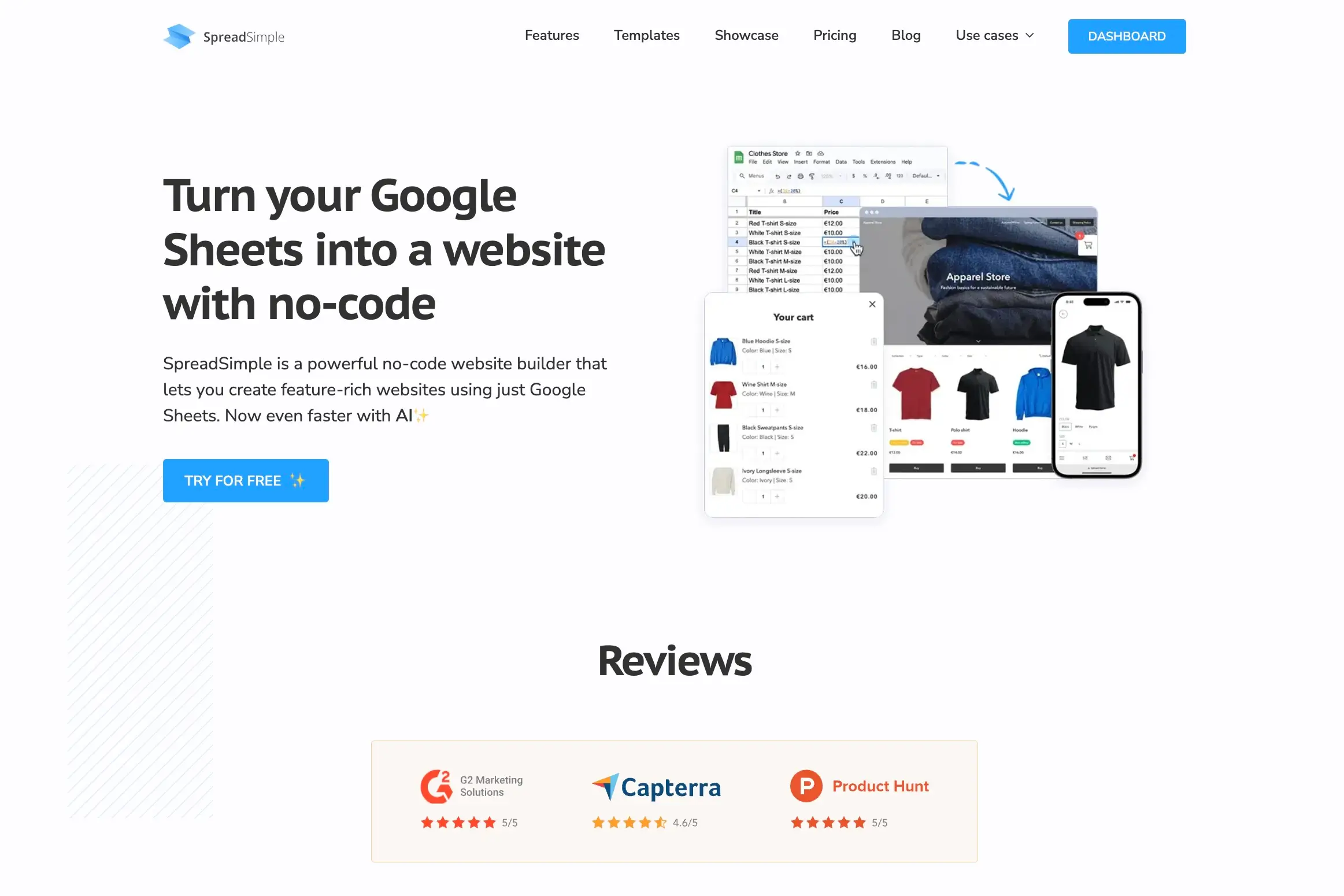
No-code website builders, like SpreadSimple, Webflow, and Lovable, let not-technical users build sites using Google Sheet as your CMS, drag-and-drop editors and page builders by assembling the platform from predefined elements. No-code platforms develop templates for as many use cases as possible, covering most of what a website needs. But along with your business’ growth, you might require certain unique features that are not covered by your monthly subscription, for example, a widget, a style change, an embed, etc. Each of these is a few lines of code. You don't need to become a developer to add them, but you do need to know where the code goes. Many no-code builders allow adding custom code. Platforms like Webflow and Wix allow you to insert HTML, CSS, and JavaScript directly into site settings, specific page heads, body tags, or dedicated code embed blocks.
Where the code goes: custom code in SpreadSimple
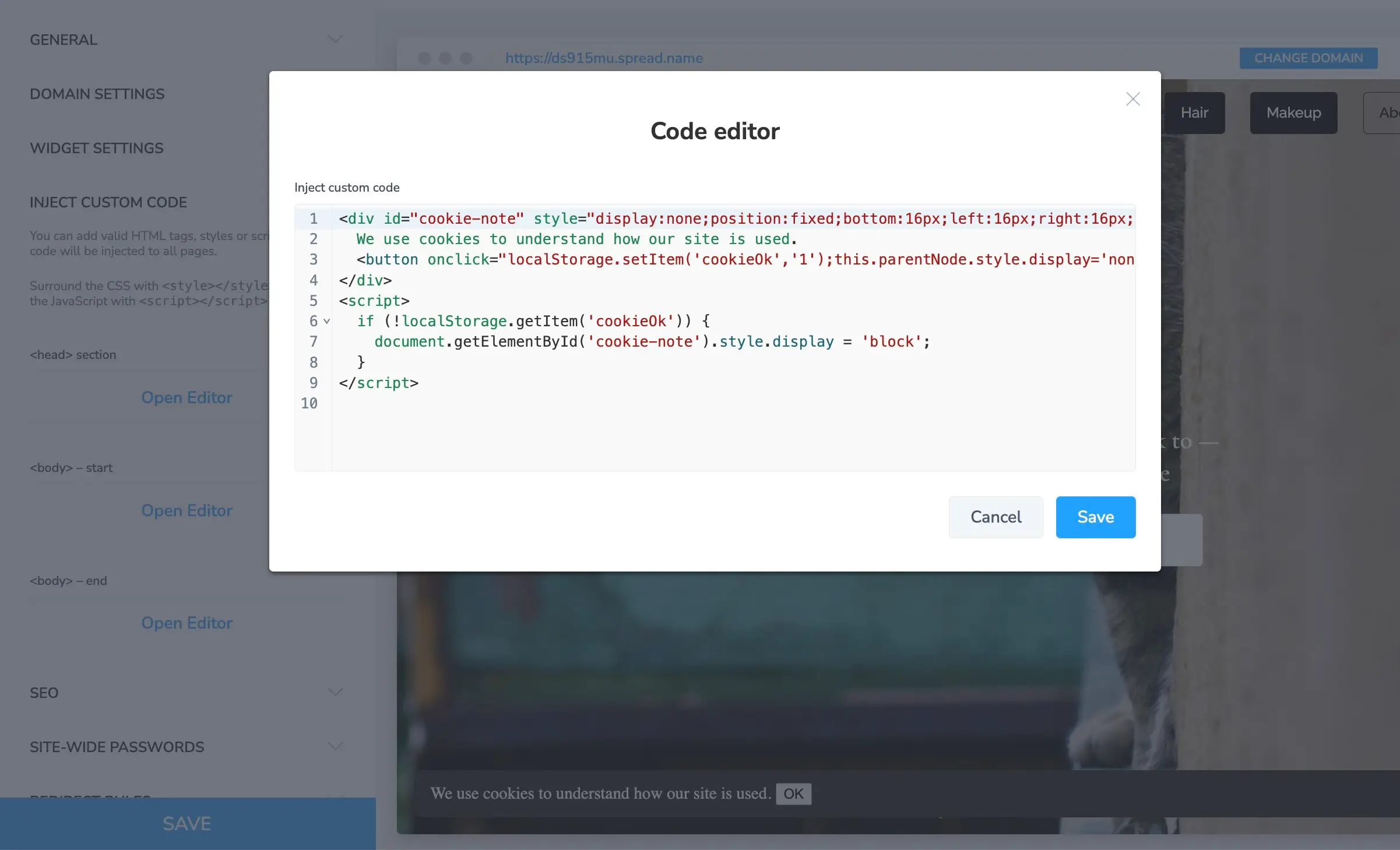
You can add custom scripts to your website built with SpreadSimple. It can be custom CSS, or analytics, chats, or anything else that you find necessary. You can place scripts in three spots:
- In the page head: for tracking scripts and anything that must load before the page appears
- In the body: for widgets and embeds that appear on the page
- After the body: for scripts that should run once the page has loaded
As a rule of thumb, if a tool's instructions say "paste this into the head", use the head. If they say "paste before the closing body tag", use the after-body slot. These newly added scripts will apply only to the published website, and you won’t be able to see the changes in preview mode.
A simple cookie notice is one of the most common examples, and here is how to add it:
<div id="cookie-note" style="display:none;position:fixed;bottom:16px;left:16px;right:16px;padding:12px 16px;background:#222;color:#fff;border-radius:8px;z-index:9999;">
  We use cookies to understand how our site is used.
  <button onclick="localStorage.setItem('cookieOk','1');this.parentNode.style.display='none';">OK</button>
</div>
<script>
  if (!localStorage.getItem('cookieOk')) {
    document.getElementById('cookie-note').style.display = 'block';
  }
</script>
Vibe coding: Build websites with AI online
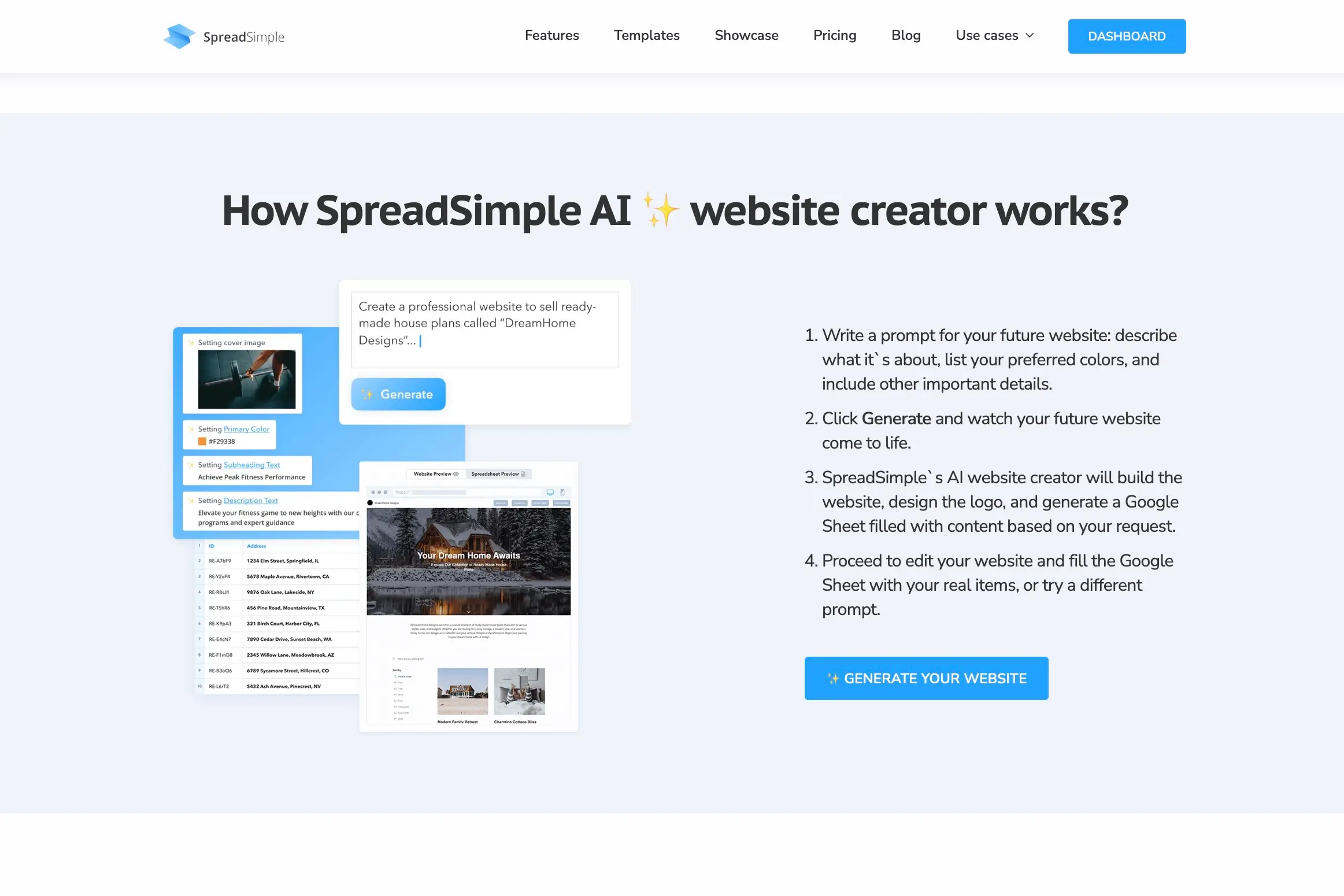
If you want to further implement the practicality of vibe coding, try creating an entire website by using SpreadSimple AI engine as your personal developer. It is great for a quick start, when you need a basic online catalogue that can be optimized later on.
Here’s how it’s done:
Write a prompt for your future website: describe its purpose, list your preferred colors, and all other important details.
Click Generate and watch your idea materialize in one minute.
SpreadSimple’s AI website creator will build the entire website, design the unique logo, and generate your Google Sheet filled with content based on your request. Edit the blue print of your website in the dashboard, fill the Google Sheet with your real items, or try a different prompt, if the result isn’t what you expected.
Vibe coding your first snippet with ChatGPT or Claude
A general AI assistant such as ChatGPT, Gemini, or Claude is enough to write snippets. To get good results, focus on how you phrase and structure your prompt.
Try this prompt:
Write a small cookie notice for my website using only HTML, CSS and plain JavaScript, with no external libraries. It should show once, and disappear forever after the visitor clicks OK. Explain each part in plain language.
A few habits make using vibe coding tools much safer and reduce the number of possible errors:
- Say where the code will go. Tell the AI you can paste into the head, the body, or after the body.
- Ask for no external libraries unless you really need one.
- Ask the AI to explain each line. If the explanation doesn't make sense, try generating another code.
- Test on a copy first if you can, or at a quiet time, and always check the page on mobile.
When the code grows: understanding code you didn't write
Snippets are the easy, beginner-friendly part. At some point, many no-code projects inevitably grow beyond them. A contractor builds an integration with your CRM. A developer builds a small app next to your site. You try one of the AI app builders and end up with a whole project. Suddenly, there isn't a tiny snippet to read but a gargantuan script, and you need a good AI code explainer.
The questions you'll have
When code you didn't write manages a chunk of your business, you'll need answers to some essential questions like these:
- What does this script actually do?
- Is it safe? Does it send visitor data anywhere?
- Where does the form data go after someone submits it?
- What breaks if I remove this file?
- Did the contractor build what we agreed?
You could ask for the developer’s help if they're still around. Alternatively, you could paste files one by one into a chat assistant, but on a real project it won't see how everything connects and functions.
How to read code without being a developer

CodeAlive (opens new window) is your personal AI code linguist when it comes to understanding the syntax without being a developer. It works by connecting to a code repository (on GitHub, GitLab, Bitbucket, etc.), builds a map of how the files, functions and dependencies connect, and lets you ask questions about a codebase in plain English.
Why it is useful for a non-developer:
- Answers are written for non-technical readers. You can ask "where does the contact form data go?" and get an explanation.
- It's read-only. Asking questions can't change or break anything in the code.
- It sees the whole project, not just the file you pasted, so it can follow a form submission from the page all the way to the database or the email tool.
- Answers are backed by code references behind them, so you can forward a precise question to a developer when you need one.
Developers use CodeAlive with Cursor, Claude Code, and many other tools. But other professionals, including product managers, analysts and QA testers, implement it in the same way for valuable insights: to understand an entire system without reading every line.
Try it before you need it
CodeAlive offers a free plan with 100 chat requests per month, which is a good opportunity to test its functionality before committing to a paid subscription. Later on, you can opt for a paid plan starting at $15 a month.
FAQ
Is vibe coding good for beginners?
Yes, for small changes like styles, embeds, and widgets on a site you can easily roll back. Beginners should always ask the AI to explain the code and test changes before relying on them. For any tasks involving payments or personal data, get a developer’s help.
What is the best vibe coding tool for beginners?
For snippets on a no-code site, a general assistant such as ChatGPT or Claude is enough. For understanding a larger project you didn't write, a code explanation tool such as CodeAlive is more useful than a chat assistant, because it sees and understands the entire codebase.
How do I start vibe coding?
Pick one small change you want on your site, describe it to an AI assistant along with where you can paste code, ask it to explain the result, and test it. Also, check out our guides to creating a website with AI and best AI website builders for valuable insights.
Is it safe to paste AI-written code into my website?
It's usually safe for simple styling and embeds from trusted providers, as long as you understand what the code does. Be careful with scripts that load from unknown sites or send data elsewhere.
Build a site from your Google Sheet with SpreadSimple and add your first custom snippet in the site settings. Going further? See how to add font icons or automate orders with Google Apps Script.